
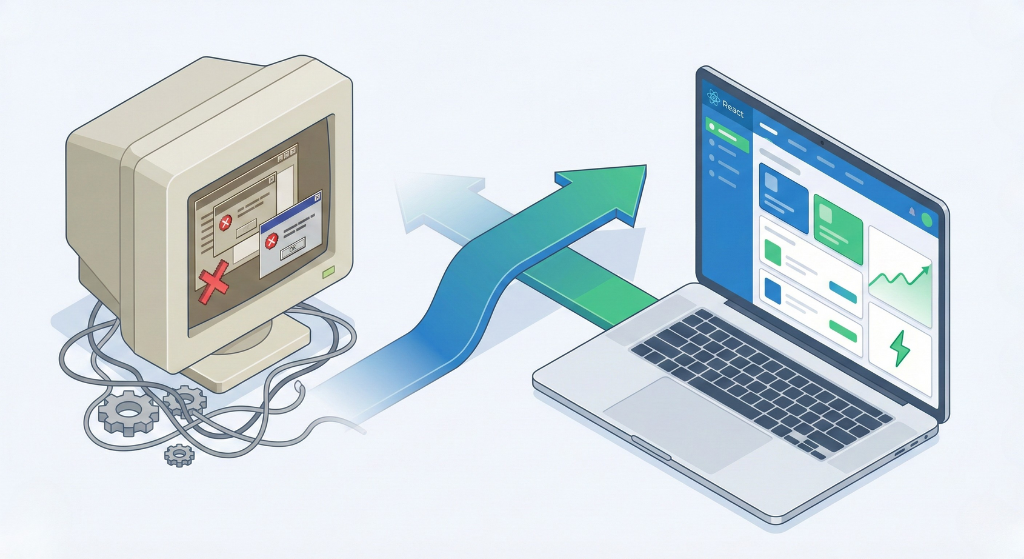
That application you built five years ago served your business well. But now it feels slow, difficult to update, and frustrating for your team to maintain. Sound familiar?
Legacy applications are a common challenge for small and medium-sized businesses. The technology that worked perfectly when you launched may now be holding you back. Outdated frameworks, poor mobile experiences, and mounting technical debt make every update more expensive than the last.
Migrating to React offers a path forward. As the most widely adopted front-end technology in 2025, React provides the performance, flexibility, and long-term support your business needs. But migration is not a decision to take lightly.
This guide explains when migration makes sense, how to approach it strategically, and what to expect along the way.
Signs Your Application Needs Modernization
Not every older application needs migration. Some work perfectly fine and will continue serving your business for years. However, certain warning signs indicate that modernization should be on your radar.
Performance has degraded significantly. Users complain about slow load times. Pages that once loaded instantly now take several seconds. Your team has tried optimization tricks, but improvements are marginal at best.
Mobile experience is poor or nonexistent. Your application was built for desktop users, and responsive design was bolted on as an afterthought. Mobile users struggle with navigation, forms, and core functionality.
Updates take forever. Simple changes that should take hours now take days or weeks. Your developers spend more time working around limitations than building new features. Every modification risks breaking something else.
Finding developers is increasingly difficult. Your application uses a framework or language that fewer developers know. Hiring takes longer, costs more, and new team members need extensive ramp-up time.
Security concerns are mounting. Older frameworks may no longer receive security updates. Vulnerabilities accumulate, putting your business and customer data at risk.
Integration with modern tools is painful. Connecting your application to new services, APIs, or platforms requires extensive custom work. What should be straightforward integrations become major projects.
If three or more of these apply to your situation, modernization deserves serious consideration. For a comprehensive evaluation of your current application, our website speed optimization service can identify specific performance bottlenecks and improvement opportunities.
Why React for Legacy Application Migration?
When modernizing a legacy application, you have multiple technology options. React consistently emerges as the top choice for SMBs for several reasons.
Massive talent pool. React developers are easier to find than specialists in most other frameworks. This means faster hiring, competitive rates, and reduced risk of being stuck with an unmaintainable application.
Component-based architecture. React applications are built from reusable components. This modularity makes development faster, testing easier, and future updates more manageable.
Proven scalability. Companies ranging from startups to enterprises like Netflix and Airbnb rely on React. The technology scales from simple dashboards to complex platforms without requiring a complete rebuild.
Strong ecosystem. The React ecosystem includes thousands of libraries, tools, and pre-built components. Your development team can leverage existing solutions rather than building everything from scratch.
Long-term viability. With Meta backing React and millions of applications depending on it, the technology will remain supported and relevant for years to come. Your migration investment is protected.
Flexibility. React is a library, not an opinionated framework. It integrates with various backend technologies and gives your team freedom to structure the application based on your specific needs.
Migration Approaches
There is no single right way to migrate a legacy application. The best approach depends on your application’s current state, budget, timeline, and risk tolerance.
Complete Rewrite
A complete rewrite means building your new React application from scratch while the old application continues running. Once the new version is ready, you switch over entirely.
This approach makes sense when your legacy application is beyond repair, uses completely incompatible technology, or when you want to fundamentally redesign how the application works.
Benefits include a clean slate with no legacy code carried forward and the opportunity to rethink features and user experience completely.
Risks include higher upfront cost, longer timeline before seeing results, and the possibility of losing functionality during translation. The old application also continues accumulating technical debt while you build the replacement.
Incremental Migration
Incremental migration involves replacing parts of your application piece by piece. You identify components or pages that would benefit most from modernization and migrate them first while leaving the rest unchanged temporarily.
This approach works well when your application has distinct sections that can function independently and when you need to show progress quickly without a massive upfront investment.
Benefits include lower initial cost, faster time to first results, and reduced risk since you can validate your approach before committing fully. Your team also learns React gradually rather than all at once.
Risks include maintaining two codebases simultaneously, potential inconsistencies in user experience between old and new sections, and the possibility that migration drags on indefinitely if not managed carefully.
Strangler Pattern
The strangler pattern is a specific type of incremental migration where new features are built exclusively in React while existing features remain in the legacy system. Over time, React components gradually “strangle” the old application until nothing remains.
This approach is ideal when you need to continue adding new functionality while modernizing. It lets you move forward without pausing business development.
Benefits include continuous feature development throughout migration and natural prioritization since the most active areas get modernized first through new feature work.
Risks include longer total migration timeline and complexity in routing users between old and new systems.
For most SMBs, incremental migration or the strangler pattern offers the best balance of risk and results. Complete rewrites make sense only in specific circumstances.
Step-by-Step Migration Process
Regardless of which approach you choose, successful migrations follow a structured process.
Step 1: Audit Your Current Application
Before writing any code, thoroughly document your existing application. Map all features, user flows, integrations, and business logic. Identify what works well (and should be preserved), what needs improvement, and what can be eliminated entirely.
This audit prevents the common mistake of rebuilding features nobody uses while accidentally omitting critical functionality.
Our website redesign checklist provides a framework for evaluating your current application systematically.
Step 2: Define Success Criteria
What does successful migration look like for your business? Define specific, measurable goals such as page load time targets, mobile responsiveness requirements, and maintenance cost reductions.
These criteria guide decisions throughout the project and help you evaluate whether the migration delivered expected value.
Step 3: Plan Your Architecture
Design the technical architecture for your new React application before development begins. Decide on state management approach, routing strategy, component structure, and how the front-end will communicate with your backend systems.
If your backend also needs modernization, plan for that separately. Trying to rebuild everything simultaneously increases risk dramatically.
Step 4: Start with Low-Risk Components
Begin migration with components that are relatively isolated and low-risk. This lets your team build confidence with React, establish coding standards, and validate your architecture before tackling critical functionality.
Good starting points include static pages, simple forms, and internal tools that would not catastrophically impact customers if something goes wrong.
Step 5: Migrate Core Functionality
Once your team has established patterns and confidence, move to core application functionality. Prioritize areas that will deliver the most value: the features users interact with most, the sections with worst current performance, or the components causing the most maintenance headaches.
Step 6: Test Thoroughly
Migration introduces risk. Comprehensive testing at each stage catches issues before they reach users. Automated testing, user acceptance testing, and performance benchmarking should all be part of your process.
Compare new components against legacy equivalents to ensure functionality parity and performance improvements.
Step 7: Monitor and Optimize
After migration, monitor your application closely. Track performance metrics, error rates, and user feedback. Initial launch often reveals optimization opportunities that were not apparent during development.
For guidance on ongoing performance management, our WordPress performance optimization guide covers principles applicable to any web application.
Common Challenges and How to Avoid Them
Legacy migrations can go wrong in predictable ways. Understanding these risks helps you avoid them.
Scope creep. Migration projects easily expand beyond original plans. “While we are rebuilding this, let us also add…” becomes a dangerous pattern. Stick to your defined scope. Add new features after migration is complete.
Underestimating complexity. Legacy applications often contain hidden complexity: undocumented business rules, edge cases handled by obscure code, and integrations nobody fully understands. Budget extra time for discovery.
Neglecting the backend. A beautiful new React front-end connecting to a struggling legacy backend will not solve your problems. Assess whether backend modernization is also necessary, and if so, plan it as a separate phase.
Losing institutional knowledge. The developers who built your legacy application may no longer be available. Document everything you learn during the audit phase. This knowledge is valuable regardless of whether migration proceeds.
Trying to migrate everything at once. Big bang migrations are tempting but risky. Phased approaches take longer overall but reduce risk and let you adjust based on what you learn.
Cost and Timeline Expectations
Migration costs vary significantly based on application size and complexity.
Small applications with limited functionality might migrate in 2-4 months with budgets starting around $25,000-$50,000.
Medium applications with multiple features and integrations typically require 4-8 months and $50,000-$150,000.
Large applications with complex business logic, multiple user types, and extensive integrations can take 8-18 months with budgets exceeding $150,000.
These ranges assume incremental migration. Complete rewrites generally cost more and take longer.
Factor in ongoing costs as well. During migration, you are maintaining two systems simultaneously, which increases operational overhead. Budget for this overlap period.
For SMBs planning significant application investments, our application development services page explains our approach to complex projects.
Is Migration Worth It for Your SMB?
Migration requires significant investment. The question is whether that investment delivers sufficient return.
Consider migration worthwhile when maintenance costs are escalating year over year, when your application limits business growth, when security risks are mounting, or when competitive pressure demands better user experience.
Consider alternatives when your application still meets business needs adequately, when budget constraints are severe, or when the application has limited remaining lifespan regardless of technology.
Sometimes the right answer is not full migration but targeted improvements to extend your legacy application’s useful life while you plan a more comprehensive solution.
For businesses building entirely new products, SaaS development on React from day one avoids legacy challenges altogether.
Conclusion
Migrating legacy applications to React is a proven path to better performance, easier maintenance, and long-term sustainability. But successful migration requires careful planning, realistic expectations, and disciplined execution.
Start by honestly assessing whether migration is necessary. If it is, choose an incremental approach that delivers value quickly while managing risk. Define clear success criteria, document everything, and resist the temptation to expand scope mid-project.
The investment is significant, but for SMBs stuck with aging, problematic applications, modernization often pays for itself through reduced maintenance costs, improved user satisfaction, and the ability to move faster on new features.
Ready to modernize your legacy application? CGColors has helped SMBs migrate and modernize applications since 2014. We assess your current system, recommend the right approach, and execute migrations that deliver real business value. Contact us today for a free consultation.