
Your website isn’t working as hard as it should. Traffic has plateaued, conversion rates are disappointing, or perhaps your site simply looks dated compared to competitors. A website redesign feels like the obvious solution, but rushing into one without proper planning can waste money, damage search rankings, and frustrate customers.
Website redesigns represent significant investments of time, money, and organizational energy. Done right, they transform your online presence and drive business growth. Done poorly, they create expensive problems that take months or years to fix. The difference between success and failure often comes down to planning and preparation before any design or development work begins.
Over the past decade, we’ve guided hundreds of businesses through website redesigns. We’ve seen what works, what doesn’t, and what separates projects that deliver results from those that disappoint. The most successful redesigns share common characteristics—they all started with thorough planning and consideration of key factors before writing a single line of code or creating any designs.
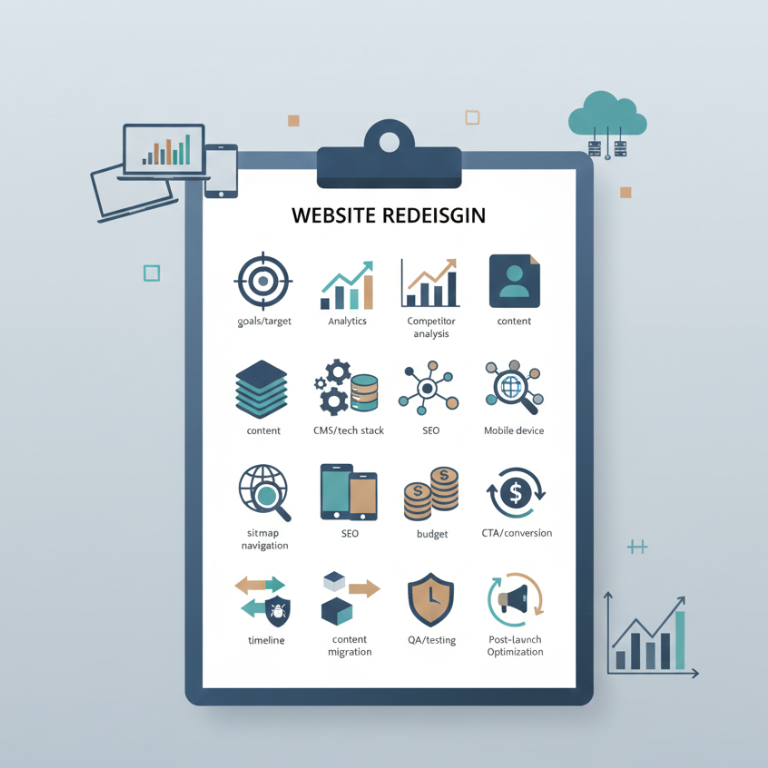
This checklist covers the fifteen most critical things to consider before starting your website redesign. Work through these systematically, and you’ll avoid common pitfalls while setting your project up for success.
1. Define Clear, Measurable Goals
The first and most important question: Why are you redesigning your website? “It looks old” or “we need a refresh” aren’t sufficient answers. Clear, specific goals guide every decision throughout the project.
Are you trying to increase conversion rates? Improve search engine rankings? Reduce bounce rates? Generate more leads? Improve mobile experience? Support new products or services? Each goal leads to different design decisions and priorities.
Make your goals measurable. Instead of “improve user experience,” specify “reduce checkout abandonment by 25%” or “increase time on site by 40%.” Instead of “generate more leads,” aim for “increase contact form submissions by 50%.” Measurable goals let you determine whether your redesign succeeded.
Your goals also help prioritize when trade-offs arise. If lead generation is your primary goal, you’ll prioritize contact forms, calls-to-action, and conversion optimization over other considerations. If brand positioning matters most, you’ll invest more in visual design and storytelling.
Document your goals and share them with everyone involved in the project. When your team, stakeholders, and development partners all understand what success looks like, decisions become clearer and alignment improves.
2. Understand Your Current Website’s Performance
Before changing anything, understand what’s working and what isn’t with your current site. Analytics provide objective data about user behavior, popular content, conversion paths, and problem areas.
Review your Google Analytics or similar analytics platform. Which pages receive the most traffic? What’s your bounce rate on key pages? Where do users enter and exit your site? Which pages convert visitors into customers or leads? Understanding these patterns helps you preserve what works while fixing what doesn’t.
Look at conversion funnels. Where do users drop off in the purchase process or lead generation flow? High abandonment at specific steps indicates problems that your redesign should address.
Examine traffic sources. Does most traffic come from organic search, paid advertising, social media, or direct visits? If organic search drives significant traffic, SEO preservation during redesign becomes critical. If paid advertising is primary, landing page optimization might be your focus.
Check mobile versus desktop usage. If 70% of your traffic comes from mobile devices but your site isn’t mobile-optimized, that’s a clear priority. Understanding device breakdown helps you allocate design and testing resources appropriately.
Heat mapping tools like Hotjar or Crazy Egg show where users click, how far they scroll, and what they ignore. This behavioral data often reveals insights that analytics alone miss. Users might be clicking on elements that aren’t actually links, or ignoring important calls-to-action that you thought were prominent.
Page speed metrics matter increasingly for both user experience and search rankings. Use Google PageSpeed Insights to understand your current performance and identify specific issues to address in the redesign.
Survey your users if possible. Direct feedback often uncovers frustrations and desires that data alone doesn’t reveal. Even informal feedback from customer service teams about common complaints provides valuable insights.
This research phase might take several weeks, but it ensures your redesign addresses real problems rather than perceived ones. Many businesses redesign based on assumptions that don’t match actual user behavior, wasting investment on changes that don’t improve outcomes.
3. Analyze Your Competitors
Your website doesn’t exist in isolation—it competes for attention and customers. Understanding what competitors are doing helps you identify industry standards, spot opportunities for differentiation, and avoid falling behind.
Identify your top 5-10 direct competitors and analyze their websites systematically. What features do they offer? How do they structure navigation? What calls-to-action do they emphasize? How do they present products or services?
Note what works well. If multiple successful competitors use similar approaches, there’s likely good reason. Industry conventions exist because they work—users expect certain patterns and elements. Deviating from effective conventions without good reason creates unnecessary friction.
Also note gaps and weaknesses. Where do competitors fall short? What frustrates users about their sites? Opportunities for competitive advantage often hide in areas where everyone else does things poorly.
Look beyond direct competitors to aspirational examples. Which websites in any industry provide excellent user experiences? What can you learn from e-commerce leaders, media sites, or service businesses that excel at web experience even if they’re in different industries?
Pay attention to mobile experiences. Many businesses have strong desktop sites but weak mobile presence, or vice versa. Understanding the mobile competitive landscape helps you set appropriate standards for your redesign.
Don’t copy competitors blindly. What works for them might not work for your business model, audience, or brand positioning. Use competitive analysis to inform your strategy, not dictate it. Your goal is differentiation combined with meeting or exceeding industry standards in critical areas.
4. Define Your Target Audience Clearly
Trying to appeal to everyone results in websites that connect with no one. Clear audience definition drives design decisions, content strategy, and functionality priorities.
Who are your ideal customers? Create detailed personas describing their demographics, goals, challenges, and behaviors. A B2B company selling enterprise software targets IT directors and C-level executives with very different needs than a B2C retailer targeting young professionals.
What problems are they trying to solve when they visit your site? Understanding user intent helps you prioritize information and features. Someone researching options needs different content and flows than someone ready to purchase.
What’s their technical sophistication? Technical audiences tolerate complexity that frustrates general consumers. Design and terminology should match your audience’s comfort level.
What devices do they use? Understanding whether your audience primarily accesses your site from desktop at work, mobile while commuting, or tablets at home influences responsive design priorities.
What’s their relationship with your brand? First-time visitors need different information than returning customers. Prospects require education and trust-building that existing clients don’t.
Having clear personas helps resolve debates during design and development. When team members disagree about features or approaches, referring back to target audience needs often provides clarity. Our web development services always begin with audience definition because it fundamentally shapes everything that follows.
5. Audit Your Current Content
Content represents one of your most valuable digital assets. A complete content audit before redesign helps you understand what you have, what to keep, what to improve, and what to discard.
Create a spreadsheet listing every page on your current site. Include URLs, page titles, traffic data, and notes about content quality and relevance. This inventory provides a complete picture of your content landscape.
Evaluate each page. Is the content still accurate and relevant? Does it serve a clear purpose? Does it perform well in analytics? Content that’s outdated, irrelevant, or receiving no traffic should be eliminated rather than carried forward to the new site.
Identify high-performing content that must be preserved and potentially enhanced. Pages that rank well in search engines, generate leads, or receive significant traffic deserve special attention during the redesign process.
Look for content gaps. What information do users need that you don’t currently provide? What questions do sales teams repeatedly answer that should be addressed on the website? Filling content gaps might be as important as visual redesign.
Consider content organization. Does your current site structure make sense, or do users struggle to find information? Your redesign offers an opportunity to reorganize content more logically.
Plan for content creation needs. If your audit reveals significant gaps or outdated content, budget time and resources for content development alongside design and development work. Many redesigns focus exclusively on design while ignoring that fresh, relevant content is equally important.
For businesses where content marketing drives traffic, preserving SEO value during content migration is critical. We’ll address this more in the SEO section, but identifying valuable content during the audit phase ensures nothing important gets lost during transition.
6. Choose the Right Platform and Technology
Your content management system (CMS) and underlying technology determine what you can accomplish both now and in the future. Platform choice is one of the most important decisions in any redesign.
Many businesses use this opportunity to evaluate whether their current platform still serves their needs. Are you outgrowing your current system? Does it limit what you can accomplish? Do costs, complexity, or technical debt suggest a platform change makes sense?
The major platforms each have strengths and ideal use cases. WordPress powers over 40% of all websites and excels at content-rich sites, blogs integrated with business presence, and situations requiring extensive customization. Its massive plugin ecosystem and flexibility make it the right choice for many business websites.
Shopify specializes in e-commerce and provides an excellent all-in-one solution for online stores prioritizing ease of use and reliability over unlimited customization. If you’re primarily selling products, Shopify’s focused e-commerce features often outweigh WordPress’s broader flexibility.
Custom development provides ultimate flexibility but requires ongoing technical resources and typically costs significantly more. Custom platforms make sense for businesses with unique requirements that existing platforms can’t accommodate, or for companies where web presence is so central to business operations that complete control justifies the investment.
Consider your team’s capabilities. A platform requiring constant developer involvement creates ongoing costs and dependencies. Platforms that let marketing teams manage content and make updates without technical help often provide better long-term value.
Think about integrations you need. Does your website need to connect with your CRM, email marketing platform, inventory system, or other business tools? Platform choice affects integration difficulty and options.
Evaluate long-term costs. Some platforms have low initial costs but high ongoing expenses through required apps or services. Others involve larger upfront investment but lower ongoing costs. Consider total cost of ownership over 3-5 years, not just initial development budget.
7. Plan Your Site Structure and Navigation
Information architecture—how you organize and structure content—fundamentally affects usability. Users should find what they need quickly without confusion or frustration.
Start with a site map showing all pages and how they relate. This hierarchical view helps you organize content logically and identify structural issues. Most websites work best with 3-4 levels of hierarchy. Deeper structures make information hard to find.
Primary navigation should include 5-7 main sections at most. More than that overwhelms users and dilutes focus. If you’re tempted to add more, you likely need to reorganize content into broader categories.
Consider user paths and common tasks. How do different user types move through your site? Someone researching your company needs different paths than someone ready to purchase or a customer seeking support. Your navigation should accommodate these different journeys.
Implement clear calls-to-action that guide users toward your goals. Every page should make obvious what users should do next, whether that’s contacting you, making a purchase, downloading a resource, or exploring related content.
Test your planned structure with real users if possible. Card sorting exercises where users organize your content into categories that make sense to them often reveal that your internal categorization doesn’t match how customers think about your business.
Mobile navigation requires special consideration. What works on desktop doesn’t always translate to small screens. Plan specifically for how navigation will work on mobile devices where screen real estate is limited.
Search functionality becomes important for sites with extensive content. If your site will include dozens or hundreds of pages, robust search helps users find specific information quickly.
8. Prioritize Mobile Experience
Mobile traffic accounts for over 60% of web browsing globally, and for many businesses, mobile is the majority of their traffic. Your redesign must deliver excellent mobile experience, not treat it as an afterthought.
Review your analytics to understand your mobile versus desktop split. Even if desktop is currently dominant, mobile continues growing. Designing primarily for desktop while treating mobile as secondary creates problems.
Responsive design—where your site adapts to different screen sizes—is now standard practice. Your redesign should work excellently on phones, tablets, and desktops. However, “responsive” doesn’t automatically mean good mobile experience. Thoughtful mobile-specific design decisions are still necessary.
Consider mobile context and user behavior. Mobile users often have different intent than desktop users. They might be researching while shopping in-store, looking up information on the go, or comparing options. Your mobile experience should accommodate these use cases.
Touch targets must be large enough for fingers, not mouse cursors. Buttons and links need sufficient size and spacing to prevent accidental taps. Forms should be simplified for mobile completion. Text should be readable without zooming.
Page speed matters even more on mobile devices, where connections are often slower than broadband. Optimize images, minimize code, and eliminate anything that slows mobile loading.
Test extensively on real devices, not just desktop browsers resized to mobile dimensions. Actual phones reveal issues that desktop testing misses. Test on both iOS and Android, and on devices of varying sizes.
Mobile-first design—starting with mobile and expanding to desktop—often produces better results than designing for desktop and shrinking down. It forces focus on essential elements and progressive enhancement.
9. SEO Strategy and Preservation
Website redesigns present significant SEO risks if not handled carefully. You can lose years of search engine rankings and organic traffic through common mistakes, or you can use the redesign to improve SEO performance.
Your current site has accumulated SEO value over time. Search engines understand which pages rank for which terms, how pages relate to each other, and which content is valuable. Preserving this equity during redesign is critical.
URL structure deserves careful attention. If your new site uses different URLs than your current site, you need 301 redirects from every old URL to the appropriate new URL. Missing redirects send users and search engines to 404 error pages, destroying rankings and creating poor user experience.
Create a comprehensive redirect map before launch. List every URL on your current site and where it should redirect on the new site. Test every redirect before going live. Even one missed redirect to a high-traffic page can cost significant organic traffic.
Consider keeping your existing URL structure if it’s reasonable. Changing URLs when you don’t need to adds risk without benefit. If your current URLs are clean and logical, preserve them in the redesign.
Page titles, meta descriptions, and header tags need strategic consideration. These elements significantly impact search rankings. If existing pages rank well, preserve their optimized titles and descriptions unless you have specific reasons to change them.
Internal linking structure affects how search engines understand your site and how link equity flows between pages. Plan internal linking strategically, ensuring important pages receive links from relevant content throughout the site.
Page speed impacts rankings in addition to user experience. Your redesign should improve loading speed, not make it worse. Technical SEO optimization should be built into the redesign process, not treated as an afterthought.
Plan for a temporary traffic dip even with perfect execution. Search engines need time to recrawl and understand your new site. Rankings might fluctuate for a few weeks before stabilizing. This is normal and not cause for panic if you’ve followed best practices.
10. Design for Conversion Optimization
Your website exists to achieve business goals, whether that’s generating leads, driving sales, building brand awareness, or supporting customers. Design should actively support these objectives.
Identify your primary conversion actions. What do you want visitors to do? Common conversions include filling out contact forms, making purchases, downloading resources, signing up for newsletters, or calling your business.
Make conversion paths clear and friction-free. Users should immediately understand what you want them to do and how to do it. Remove obstacles, simplify forms, and eliminate unnecessary steps between user intent and completion.
Calls-to-action (CTAs) need to be prominent, compelling, and strategically placed. Don’t assume users will search for ways to contact you or make purchases. Guide them explicitly with clear CTAs throughout the site.
Forms require careful design. Every field you add decreases completion rates. Ask only for information you truly need. Use field validation to prevent errors. Provide clear feedback about problems and success.
Trust signals matter, especially for e-commerce and lead generation. Include customer testimonials, security badges, industry certifications, case studies, and other elements that build credibility and reduce purchase anxiety.
Page hierarchy and visual design should guide attention toward conversion elements. Size, color, position, and contrast all influence what users notice and act upon. Design should subtly guide users toward your business objectives.
A/B testing capabilities should be considered during redesign. Building your site with testing in mind makes post-launch optimization easier. You’ll want to test different headlines, CTAs, layouts, and approaches to continuously improve conversion rates.
11. Budget Realistically for the Full Project
Website redesigns cost more than most businesses initially expect. Realistic budgeting prevents project delays, scope reductions, or cutting corners that undermine results.
Design and development represent the most obvious costs, but they’re not the only expenses. Content creation, photography, copywriting, project management, quality assurance testing, and post-launch support all require investment.
Platform costs vary significantly. Some platforms have licensing fees, hosting costs, or required services that add to your total investment. Understand both one-time and ongoing costs for your chosen platform.
Third-party services and integrations might involve costs. Payment processors, email marketing platforms, analytics tools, and other services your site relies on might have setup fees or subscription costs.
Budget for contingency—typically 10-20% of your development budget. Unexpected challenges arise in almost every project. Having contingency budget prevents difficult decisions when issues appear.
Consider opportunity costs of internal team time. Your employees will need to provide input, review work, create content, and manage the project. This time has value and should be factored into your ROI calculations even if it doesn’t appear on development invoices.
Plan for post-launch costs including ongoing maintenance, content updates, SEO optimization, and potential feature additions based on user feedback.
For businesses requiring professional results, typical website redesign budgets range from $10,000 for basic sites to $50,000+ for complex business websites with custom functionality. E-commerce sites often require $30,000-100,000+ depending on product complexity and features. Understanding market rates helps you budget appropriately.
Professional web development services should provide detailed estimates breaking down costs by phase and functionality, helping you understand where your investment goes and make informed decisions about priorities.
12. Establish a Realistic Timeline
Rushing website redesigns creates problems. Quality work requires adequate time for planning, design, development, testing, and refinement.
Simple business website redesigns typically require 2-4 months from kickoff to launch. This includes discovery and planning, design iterations, development, content creation and migration, quality assurance testing, and final adjustments before launch.
Complex sites with custom functionality, extensive content, or e-commerce capabilities often need 4-6 months or longer. The timeline depends on scope, team availability, and how quickly you can provide feedback and approvals.
Break your timeline into phases with clear milestones. Typical phases include discovery and planning, site architecture and wireframes, visual design, development, content population, testing, and launch. Understanding what happens when helps manage expectations and keep projects on track.
Build in buffer time for revisions and unexpected challenges. No project proceeds perfectly smoothly. Plans that assume everything will go perfectly create unrealistic timelines that lead to rushed work or missed deadlines.
Consider your own availability. Projects delay when clients can’t review work, provide feedback, or deliver content on schedule. Your responsiveness directly impacts timeline. If your team is stretched thin with other priorities, extend the timeline accordingly rather than creating unrealistic expectations.
Factor in any seasonal considerations. Launching an e-commerce site in October gives you time to work out issues before Black Friday and holiday shopping season. Launching in November creates enormous pressure and risk.
13. Plan for Content Creation and Migration
Content often becomes the bottleneck in website redesigns. Beautiful design and solid development mean nothing if pages lack quality content.
Identify what content needs to be created from scratch versus migrated from your existing site. New products, services, or positioning might require substantial new content. Updated value propositions, rewritten descriptions, or expanded information all take time.
Assign content responsibility clearly. Who will write product descriptions? Who creates service pages? Who develops blog content? Without clear ownership, content creation stalls projects.
Set realistic expectations for content volume and timing. Professional copywriting typically produces 500-1,000 words of polished content per day. Expecting someone to write 50 pages of content in a week alongside other responsibilities is unrealistic.
Consider professional copywriting services if your team lacks time or expertise. Quality content is as important as quality design—potentially more so since content directly affects SEO, conversion rates, and user engagement.
Plan for content review and approval cycles. Content typically goes through multiple revision rounds. Budget time for stakeholder review, editing, legal review if necessary, and final approvals.
Optimize content for both users and search engines. Content should be readable, valuable, and engaging while incorporating relevant keywords naturally. Keyword-stuffed content performs poorly in both search rankings and user engagement.
Migration of existing content requires care. Images need to be transferred and optimized. Links need to be updated. Formatting needs to be cleaned and standardized. This work is tedious but essential.
14. Quality Assurance and Testing Strategy
Testing ensures your redesigned site works correctly before launching to the world. Inadequate testing creates embarrassing errors, frustrated users, and post-launch firefighting.
Functional testing verifies that every feature works as intended. Forms submit correctly. Buttons link to the right pages. Shopping carts calculate totals accurately. Search returns relevant results. Every interactive element needs testing.
Cross-browser testing ensures your site works in all major browsers—Chrome, Safari, Firefox, and Edge at minimum. Browsers render websites differently, and what works perfectly in Chrome might break in Safari.
Cross-device testing on actual phones, tablets, and computers reveals issues that desktop browser testing misses. Touch interactions, screen sizes, and device capabilities all affect how your site functions.
Content review catches typos, broken links, missing images, and formatting issues. Someone should review every page carefully before launch. Fresh eyes catch errors that people close to the project overlook.
Performance testing measures page load speeds and identifies optimization opportunities. Every page should load quickly, especially on mobile devices with slower connections.
Accessibility testing ensures your site works for users with disabilities. This includes screen reader compatibility, keyboard navigation, color contrast, and other considerations that make your site usable for everyone.
Security testing is critical for sites handling user data, payments, or sensitive information. Security vulnerabilities can create serious legal and financial liabilities.
User acceptance testing involves having real users try to complete typical tasks on your new site. Watching people who aren’t familiar with your site attempt to navigate and accomplish goals reveals usability issues that team members miss.
Create a testing checklist and systematically work through it before launch. Rushing testing to meet launch deadlines inevitably means deploying a site with problems.
15. Post-Launch Plan and Ongoing Optimization
Launch day isn’t the finish line—it’s the starting point for ongoing optimization and improvement.
Plan for immediate post-launch monitoring. Watch analytics closely in the first days and weeks. Monitor for traffic drops, functionality issues, or user complaints. Having a rapid response plan for any serious issues prevents small problems from becoming crises.
Gather user feedback actively. Surveys, user testing, and support ticket analysis reveal how real users experience your redesigned site. Their perspective often differs from your team’s assumptions.
Set review milestones. Plan to analyze results at 30, 60, and 90 days post-launch. Compare performance metrics against your pre-launch baseline and stated goals. Are you achieving desired improvements in conversion rates, traffic, or other key metrics?
Prioritize refinements based on data and feedback. Your redesign won’t be perfect at launch. That’s normal and expected. Use post-launch learnings to guide incremental improvements.
Continue content development. Launching with solid core content is important, but ongoing content addition and updates keep your site fresh, improve SEO, and engage returning visitors.
Plan for ongoing maintenance and support. Software updates, security patches, plugin updates, and other technical maintenance ensure your site remains secure and functional.
A/B testing lets you optimize conversion elements over time. Test different headlines, button colors, form layouts, and content approaches to progressively improve performance.
SEO optimization is ongoing work, not a one-time effort. Monitor rankings, analyze search console data, identify opportunities, and continue optimizing content to improve organic visibility.
Your website should evolve with your business. As you add products, services, or capabilities, your website needs to reflect those changes. Plan for how you’ll keep your site current and aligned with business evolution.
Moving Forward with Confidence
Website redesigns represent significant investments and important moments for businesses. Approaching them thoughtfully and systematically dramatically improves your odds of success.
Working through this checklist before starting design or development helps you avoid common pitfalls, make informed decisions, and set realistic expectations. Projects that begin with thorough planning consistently deliver better results than those that rush into execution.
The most successful redesigns share characteristics: clear goals, deep user understanding, realistic budgets and timelines, quality content, thorough testing, and post-launch optimization. These aren’t complicated or expensive requirements—they’re matters of disciplined planning and execution.
Your website redesign can transform your online presence, drive business growth, and deliver substantial returns on investment. The difference between success and disappointment usually comes down to the planning and consideration you invest before the project begins.
Whether you need WordPress development, Shopify redesign, or comprehensive website strategy, working with experienced partners who understand both technology and business helps ensure your redesign achieves your goals.
Ready to start planning your website redesign? Contact our team for a free consultation to discuss your goals, explore options, and create a strategy for a successful redesign that drives real business results.