
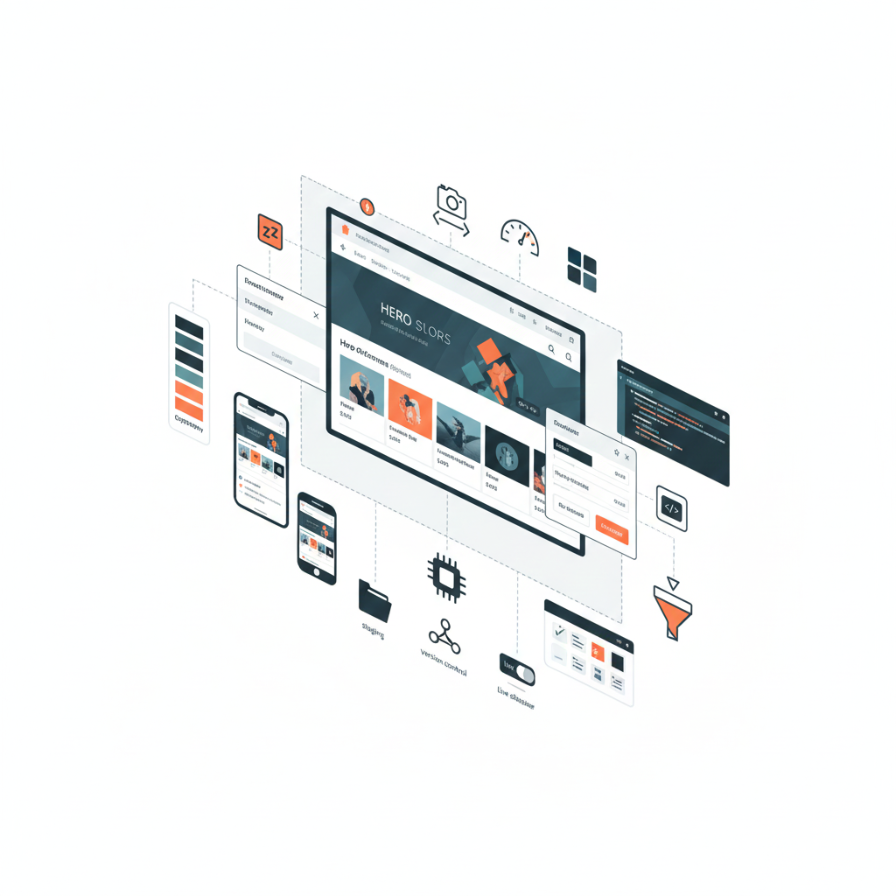
Your Shopify store’s appearance shapes customer perceptions, influences buying decisions, and differentiates your brand from countless other online retailers. In a marketplace where thousands of stores use the same handful of popular themes, creating a distinctive visual identity isn’t just about aesthetics it’s a competitive necessity.
The challenge is that truly custom design requires significant investment, while off-the-shelf themes often make stores look generic and indistinguishable from competitors. Shopify theme customization bridges this gap, letting you start with a solid foundation while modifying design, layout, and functionality to reflect your unique brand personality.
Theme customization ranges from simple color and font changes requiring no technical knowledge to sophisticated modifications involving custom code and new functionality. Understanding this spectrum helps you invest appropriately based on your brand needs, budget, and technical resources.
After customizing hundreds of Shopify themes for businesses across industries, we’ve developed clear frameworks for what’s possible at different investment levels, which customizations deliver the most impact, and how to balance brand uniqueness with the practical advantages of theme-based approaches. This guide walks you through the complete landscape of Shopify theme customization.
Understanding Shopify Themes: Foundation for Customization
Before customizing themes, understanding how Shopify themes work helps you make informed decisions about what to modify and how.
Shopify themes are collections of files controlling your store’s appearance and functionality. They’re built using Liquid, Shopify’s templating language, combined with HTML, CSS, and JavaScript. Themes include templates for different page types homepage, product pages, collection pages, cart, and checkout along with sections, snippets, and assets like images and fonts.
Theme structure separates content from presentation. Store data products, collections, customer information lives in Shopify’s database, while themes control how that data displays. This separation means you can change themes without losing store data, though customizations to one theme don’t automatically transfer to different themes.
Theme customizer provides visual editing tools for most theme settings. You can change colors, fonts, layout options, and content through point-and-click interfaces without touching code. This accessibility makes basic customization straightforward for non-technical users.
Limitations exist within Shopify’s framework. Unlike fully custom websites, Shopify stores operate within certain boundaries. You can’t fundamentally alter checkout beyond Shopify Plus, you’re working within Shopify’s structure, and extreme customizations might require custom theme development rather than modification of existing themes.
Understanding these fundamentals helps set realistic expectations and guides decisions about when to work within theme constraints versus when custom development makes more sense.
Free Themes vs. Premium Themes: Starting Points
Your customization journey begins with selecting a base theme. This choice significantly impacts what’s possible and how much effort customization requires.
Free Shopify themes provided by Shopify include solid options like Dawn, Sense, and Craft. These themes are well-coded, mobile-responsive, and regularly updated. They provide excellent foundations for stores on tight budgets or those wanting to test concepts before investing heavily.
Free themes typically offer fewer built-in customization options than premium themes. They include essential features but lack specialized functionality for specific industries or use cases. For many businesses, free themes provide perfectly adequate starting points, especially when budget is limited and significant custom development is planned anyway.
Premium themes from the Shopify Theme Store cost $180-$350 as one-time purchases. These themes typically offer more customization options, specialized features for specific industries, more layout variations, and often superior design quality compared to free options.
Premium themes often include features like advanced mega menus, product quick views, wishlist functionality, lookbook layouts, or other specialized capabilities that free themes lack. If these features align with your needs, premium themes might reduce custom development requirements and total costs.
Third-party theme marketplaces like ThemeForest offer additional options, often at lower prices than the official Shopify Theme Store. However, quality varies significantly, and third-party themes might not receive updates as reliably as official Shopify themes. Carefully evaluate reviews, update frequency, and developer support before purchasing from third-party sources.
Choosing a base theme should consider your industry, product types, desired features, and customization budget. If you plan extensive customizations, choosing a clean, well-coded theme matters more than specific design details, since you’ll be changing those anyway. For businesses working with professional Shopify development services, developers often recommend specific themes that customize well and provide solid foundations.
Basic Customization: Theme Customizer Settings
Most meaningful customization happens through Shopify’s theme customizer no code required. Understanding available options helps you maximize impact without technical expertise.
Color schemes fundamentally affect brand perception. Your theme customizer includes color settings for backgrounds, text, buttons, links, and various interface elements. Changing colors to match brand identity is the most basic but impactful customization.
Use your brand’s established color palette consistently throughout the theme. Primary brand colors should appear in buttons, headers, and key elements. Secondary colors work for backgrounds and accents. Maintain sufficient contrast between text and backgrounds for readability low contrast looks elegant but frustrates users.
Typography shapes readability and brand personality. Shopify provides access to Google Fonts library, offering hundreds of free font options. Choose fonts that reflect your brand personality: serif fonts convey tradition and elegance, sans-serif fonts feel modern and clean, and display fonts add personality but should be used sparingly.
Use different fonts for headings and body text to create hierarchy. Body text should prioritize readability save decorative fonts for headlines where they won’t compromise legibility. Maintain consistent font sizes and spacing throughout your store.
Layout options control how content arranges on pages. Most themes offer choices for header styles, footer layouts, homepage sections, product page layouts, and collection page grids. Experiment with these options to find arrangements that showcase your products effectively.
Homepage sections are modular components you can add, remove, and rearrange through the theme customizer. Common sections include featured collections, image banners, video embeds, testimonials, logo lists, and promotional banners. Curate your homepage to tell your brand story and guide customers toward products.
Navigation menus organize site structure and help customers find products. Customize main navigation to reflect your product categories logically. Add secondary menus for information pages like shipping policies, returns, and about pages. Some themes support mega menus with images and multiple columns use these to showcase product categories visually.
Product page customization determines how products display your most important pages for conversion. Adjust image sizes, gallery layouts, product description formatting, and sidebar content. Consider adding trust badges, size guides, or shipping information to product pages through theme sections.
Mobile customization settings let you adjust mobile-specific displays separately from desktop. Given that most Shopify traffic comes from mobile devices, optimize mobile layouts carefully. Stack sections appropriately, ensure touch targets are adequately sized, and simplify navigation for small screens.
These customizer options provide substantial customization capability without requiring code, making them accessible starting points for any Shopify store owner.
Intermediate Customization: Custom CSS and Minor Code Changes
Beyond theme customizer settings, CSS and minor Liquid code changes unlock additional customization possibilities.
Custom CSS controls styling details not exposed through theme customizer settings. You might adjust specific element spacing, change hover effects, modify button shapes, or refine responsive behavior for certain screen sizes.
Shopify’s theme customizer includes a custom CSS section where you can add styling without editing theme files directly. This approach is safer since your customizations persist when updating themes.
Common CSS customizations include adjusting padding and margins for better spacing, changing button shapes from rounded to square or vice versa, modifying hover effects on products or buttons, adjusting font sizes for specific elements, and creating responsive layouts for tablets between mobile and desktop breakpoints.
Finding CSS selectors requires inspecting elements using browser developer tools. Right-click any element and select “Inspect” to see the HTML and CSS controlling that element. Identify class names or IDs, then write CSS targeting those selectors.
If you’re unfamiliar with CSS, numerous online resources teach basics. Even fundamental CSS knowledge lets you make meaningful customization changes. However, extensive CSS modifications might benefit from professional Shopify development to ensure clean, maintainable code.
Liquid template modifications enable functional changes beyond styling. Liquid is Shopify’s templating language, letting you display dynamic content, create conditional displays, and loop through collections or products.
Simple Liquid modifications might include adding custom text to product pages based on tags, displaying different content for different customer groups, modifying how product information displays, or adding schema markup for better SEO.
Access Liquid templates by downloading your theme, editing locally, and re-uploading, or by editing code directly in Shopify’s online code editor. Always duplicate your theme before editing code mistakes can break your store, and having a backup lets you restore quickly.
Metafields usage extends Shopify’s default data structure. Metafields let you add custom information to products, collections, pages, or other Shopify objects, then display that information through Liquid code.
For example, you might add a metafield storing fabric composition for clothing products, then display this information prominently on product pages. Or add metafields storing video URLs, then embed videos on specific products using custom Liquid code.
App integration sometimes requires code modifications. While many Shopify apps work without theme changes, some require adding code snippets to display app features properly. Follow app documentation carefully when adding integration code.
Advanced Customization: Custom Sections and Features
Advanced customization creates unique functionality and layouts beyond what standard themes provide.
Custom sections extend homepage and other page flexibility. Shopify 2.0 themes support sections throughout the site, not just on homepages. Building custom sections lets you create unique content layouts matching your specific needs.
A custom section might display products in a unique layout, create interactive elements, present content in ways not supported by standard theme sections, or integrate external content sources.
Creating custom sections requires understanding Liquid, HTML, and CSS. Each section includes a Liquid file defining the section’s output and a schema defining customization settings. This structure lets you build reusable, customizable content blocks that store managers can configure through the theme customizer.
Custom templates provide alternative layouts for specific pages or products. You might create a custom product template for featured products with enhanced layouts, a custom collection template for seasonal promotions, or custom page templates for landing pages.
Custom templates let you apply different designs to different content without affecting your entire store. This flexibility accommodates varied content types within one theme.
Advanced product displays might include custom product galleries, 360-degree product views, size guides with fit recommendations, augmented reality features using Shopify’s AR capabilities, or product customization interfaces for personalized items.
These advanced features typically require significant development effort but create differentiated shopping experiences that justify investment for competitive brands.
Custom checkout is only available on Shopify Plus, but it provides enormous branding opportunity since checkout pages are where purchase decisions finalize. Custom checkout.liquid lets you modify checkout appearance, add upsells, include trust signals, or adjust fields for your specific checkout flow.
Even businesses not on Shopify Plus can work within checkout constraints by optimizing everything leading to checkout and focusing on post-purchase experience customization.
Multi-language customization for international stores requires special consideration. Shopify’s native multi-language features or apps like Langify enable multi-language stores, but ensuring custom code and content displays correctly in all languages requires careful implementation.
Performance Optimization in Customization
Customization can impact performance negatively if not implemented thoughtfully. Maintaining fast load times while adding custom features requires attention to optimization.
Image optimization is critical for Shopify stores where product images dominate page weight. Use appropriate image formats JPEG for photos, PNG for graphics with transparency, WebP for modern browsers. Compress images before uploading, and use Shopify’s image resizing features to serve appropriately sized images for different devices.
Lazy loading images below the fold prevents loading all images immediately, speeding initial page loads. Most modern themes include lazy loading, but ensure custom sections implement it properly.
Code efficiency matters as customization adds complexity. Minimize custom CSS and JavaScript file sizes, remove unused code, combine multiple custom scripts when possible, and avoid redundant styling that overrides theme defaults unnecessarily.
App limitations exist because each app adds JavaScript and potentially CSS to your store. Too many apps slow performance significantly. Audit installed apps regularly, removing those not actively used. Consider whether app functionality could be built into your theme to eliminate external dependencies.
Third-party script management for analytics, marketing pixels, or chat widgets should use asynchronous loading when possible. These external scripts can block page rendering if not loaded properly.
Regular performance testing using Google PageSpeed Insights, GTmetrix, or similar tools helps identify performance issues before they impact user experience significantly. Test after adding customizations to ensure performance remains acceptable.
Fast-loading stores convert better, rank higher in search results, and provide better user experiences. Balancing customization with performance requires discipline but pays off in results.
Branding Elements: Creating Cohesive Visual Identity
Effective theme customization extends beyond individual elements to create cohesive brand experiences throughout your store.
Visual consistency across pages builds professional perception and brand recognition. Maintain consistent color usage, typography, spacing, button styles, and design elements throughout your store. Inconsistency creates confusion and diminishes perceived quality.
Custom graphics and imagery differentiate your store from competitors using the same theme. Replace stock photos with original photography, create custom banners and promotional graphics, design unique icons, and develop branded imagery for categories or collections.
High-quality product photography especially impacts e-commerce success. Invest in professional product photos or learn product photography basics if shooting yourself. Consistent styling, lighting, and backgrounds create polish that generic product photos lack.
Iconography establishes visual language. Custom icons for shipping, returns, security, and features create branded touchpoints throughout the shopping experience. Icon style should match your overall design aesthetic minimalist line icons for modern brands, detailed illustrations for brands emphasizing craftsmanship.
Micro-interactions and animations add delight when used subtly. Hover effects on products, smooth transitions between pages, animated add-to-cart confirmations, or progress indicators during checkout enhance user experience without overwhelming.
However, animation requires restraint. Excessive motion distracts from content and can slow performance. Use animation purposefully to draw attention or provide feedback, not gratuitously.
Consistent voice and messaging in microcopy throughout your store reinforces brand personality. Button text, error messages, confirmation notifications, and instructional text all present opportunities to inject brand voice. A luxury brand uses different language than a playful youth brand customize all text to match your brand personality.
Mobile-First Customization Strategy
With mobile devices generating the majority of e-commerce traffic, mobile experience must be primary consideration in customization decisions.
Mobile-first thinking means designing for mobile first, then enhancing for desktop, rather than designing for desktop and shrinking for mobile. This approach ensures mobile users receive optimal experiences rather than compromised desktop designs.
Touch-friendly interfaces recognize that mobile users interact through taps, not mouse hovers. Ensure buttons and links are adequately sized (minimum 44×44 pixels is recommended), spacing prevents accidental taps, and important actions are easily reachable.
Simplified navigation for mobile accommodates limited screen space. Mobile menus should be clear, collapsible, and easily accessible. Some themes show full desktop navigation on mobile, creating cluttered, difficult interfaces. Simplify mobile menus to essential categories.
Streamlined content acknowledges that mobile users scroll less and have less patience for verbose content. Present key information prominently, use shorter paragraphs, and hide secondary information in expandable sections rather than displaying everything simultaneously.
Mobile-specific features might include click-to-call buttons prominently displayed on mobile, Google Maps integration showing store locations, simplified forms requiring less typing, or mobile payment options like Apple Pay and Google Pay.
Testing on real devices reveals issues that desktop browser testing misses. Test your customizations on actual phones and tablets of various sizes. Touch interactions, scrolling behavior, and visual perception differ significantly between desktop browsers resized to mobile dimensions and actual mobile devices.
Working with Shopify Developers
Many customization needs exceed what store owners can accomplish themselves. Understanding how to work effectively with developers ensures you get value from professional services.
Defining requirements clearly before engaging developers saves time and money. Document exactly what you want to change, provide examples of desired functionality or design, explain your brand personality and goals, and identify budget and timeline constraints.
The clearer your requirements, the more accurate developer estimates will be and the better final results will match your vision.
Choosing developers requires evaluating experience and specialization. Shopify-specific experience matters developers experienced with WordPress or general web development might struggle with Shopify’s unique architecture. Review portfolios, ask for references, and ensure developers understand e-commerce best practices beyond just technical implementation.
Professional Shopify development services provide expertise in theme customization, knowing what’s possible within Shopify’s framework and how to implement customizations that remain maintainable as your store grows.
Communication throughout projects prevents misunderstandings. Review work in progress regularly, provide feedback promptly, ask questions when you don’t understand technical explanations, and test functionality as it’s delivered rather than waiting until completion.
Documentation from developers helps future maintenance. Request documentation explaining customizations made, where custom code lives, and how to maintain or modify custom features. This documentation is invaluable when updating themes or working with different developers later.
Staging environments let developers work without affecting your live store. Duplicating your theme creates staging environments where developers test customizations before deploying to production. This workflow prevents customers from seeing broken functionality during development.
Maintaining Customized Themes
Theme customization creates ongoing maintenance considerations that differ from using themes with only basic settings changes.
Theme updates from developers improve features, fix bugs, and address security issues. However, updates can overwrite customizations, creating a dilemma between staying current and preserving custom work.
The solution depends on customization extent. Minor CSS changes in the customizer’s custom CSS area typically survive updates. Modifications to theme files directly are overwritten by updates and must be reapplied.
For heavily customized themes, duplicating before updating lets you update a copy, verify functionality, then potentially recreate customizations in the updated theme or decide updates aren’t worth the effort.
Documenting customizations helps maintain institutional knowledge. Document what was customized, why changes were made, and where custom code exists. This documentation is invaluable months later when you’ve forgotten details or when different team members need to understand the theme.
Version control for theme code provides safety nets for customizations. Store your theme in Git repositories, create branches for experimental customizations, and maintain ability to roll back changes if customizations break functionality.
Regular audits identify outdated customizations, unused code, or opportunities for improvement. Review customizations quarterly, removing what’s no longer needed and updating approaches as Shopify’s capabilities evolve.
Backup strategies ensure you can recover from mistakes. Beyond Shopify’s automatic theme saving, download theme backups before major customizations and store them safely. This practice prevents panic if customizations go wrong.
Balancing Uniqueness with Usability
The goal of customization is differentiation, but uniqueness shouldn’t compromise usability or confuse customers.
E-commerce conventions exist for good reasons. Customers expect shopping carts in the top right corner, product images on the left with details on the right, and certain checkout flows. Violating conventions without compelling reasons creates friction.
Customize to reflect your brand while respecting patterns customers understand. Innovation in e-commerce design should enhance experience, not confuse users for the sake of being different.
A/B testing customizations reveals whether changes improve conversion rates or hurt them. Beautiful designs don’t always convert best. Test customizations against original layouts when possible, measuring impact on actual business metrics rather than assuming aesthetic improvements drive results.
User feedback provides reality checks on customization decisions. What seems intuitive to you might confuse customers. Gather feedback through surveys, user testing, or customer service interactions about whether customizations help or hinder shopping experiences.
Accessibility in customization ensures your custom store works for all users including those with disabilities. Maintain sufficient color contrast, ensure keyboard navigation works, provide alt text for images, and test with screen readers. Accessibility isn’t optional it’s ethical responsibility and often legal requirement.
Cost Considerations and Budgeting
Understanding customization costs helps you budget appropriately and make informed decisions about what to customize and how.
DIY customization using theme customizer settings costs nothing beyond time invested learning available options. This approach works well for basic branding and layout adjustments.
Minor custom CSS might cost $500-1,500 if hiring developers for specific styling tweaks beyond customizer capabilities. This investment handles most visual customization needs for businesses on modest budgets.
Custom sections and features typically cost $1,000-5,000 depending on complexity. Building unique product displays, custom homepage sections, or specialized functionality requires significant development time but creates differentiation that off-the-shelf themes can’t provide.
Extensive theme customization approaching custom theme development might cost $5,000-20,000 or more. At this investment level, consider whether fully custom theme development provides better long-term value than extensive modification of existing themes.
Ongoing maintenance should be budgeted beyond initial customization costs. Budget $100-500 monthly for minor updates, seasonal changes, or small feature additions as your business evolves.
The right investment level depends on your business stage, revenue, competitive landscape, and how much visual differentiation impacts your market position. Businesses in crowded markets might need more extensive customization to stand out, while businesses with unique products might succeed with simpler customization focused on brand basics.
Real-World Customization Examples
Understanding what’s possible helps set realistic expectations and spark ideas for your store.
Homepage transformation might include custom hero video replacing static image banners, interactive product showcases using custom JavaScript, branded section layouts unique to your products, integrated Instagram feeds showing user-generated content, or custom newsletter signup sections with unique value propositions.
Product page enhancements could add custom size guides specific to your products, before/after image sliders for transformational products, video demonstrations auto-playing as users scroll, custom tab sections organizing detailed product information, or customer photo galleries showing real-world product usage.
Collection page customization might implement advanced filtering beyond default options, custom sorting mechanisms matching how customers think about products, lookbook-style layouts for fashion brands, or interactive category navigation using custom graphics.
Cart and checkout optimization for Plus stores could include custom upsell sections suggesting complementary products, progress indicators showing checkout steps, trust badges and security messaging, or custom fields collecting gift messages or delivery preferences.
These examples demonstrate customization range from simple visual tweaks to sophisticated functional enhancements, each improving user experience and brand perception in specific ways.
Moving Forward with Theme Customization
Shopify theme customization offers pathways from basic branding to sophisticated custom experiences. The key is matching investment to business needs and growth stage.
Start with fundamentals using theme customizer to establish brand colors, typography, and basic layouts. These no-code customizations provide immediate impact with minimal investment.
Layer additional customization as budget allows and competitive landscape demands. Custom CSS refines visual details, custom sections create unique content layouts, and advanced features differentiate shopping experiences.
Prioritize customizations delivering measurable business impact. Changes directly improving conversion rates, reducing cart abandonment, or strengthening brand perception justify investment more readily than purely aesthetic modifications with unclear business value.
Work with experienced Shopify developers when customization needs exceed internal capabilities. Professional implementation ensures customizations are performant, maintainable, and compatible with Shopify’s evolution.
Your Shopify theme is your digital storefront. Thoughtful customization creates brand experiences that attract customers, build trust, and drive sales. Whether you’re making your first color changes or building sophisticated custom features, every customization should serve the ultimate goal: creating shopping experiences that turn visitors into customers and customers into loyal advocates.
Ready to customize your Shopify theme and create a unique brand experience? Our team specializes in Shopify theme customization from basic branding to advanced custom development. Contact us to discuss your vision and explore customization possibilities for your store.