
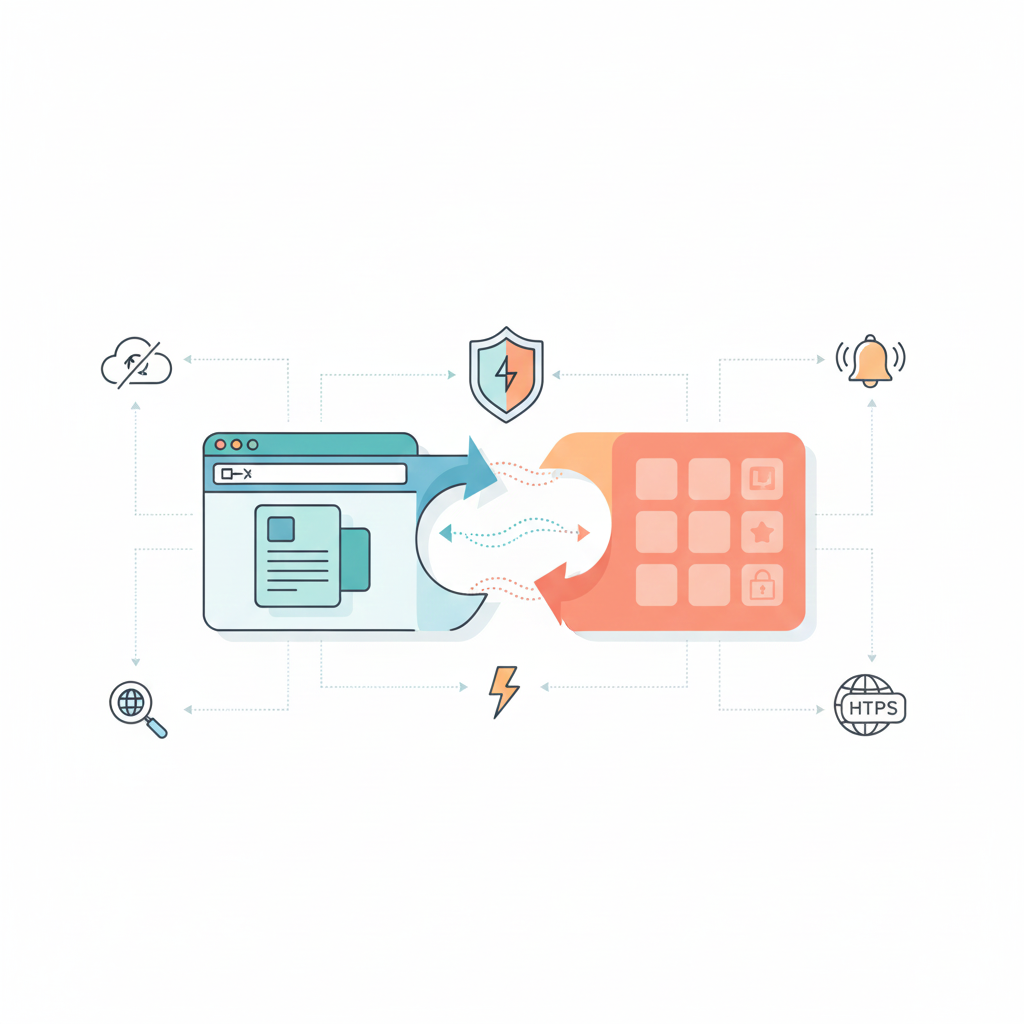
The line between websites and mobile apps has been blurring for years, and Progressive Web Apps represent the convergence of these technologies. PWAs combine the best characteristics of web and mobile apps: the reach and accessibility of websites with the performance and user experience of native applications.
Progressive Web Apps aren’t a single technology but rather a set of best practices and capabilities that transform ordinary websites into app-like experiences. Users can install PWAs on their devices without app stores, receive push notifications like native apps, and use them offline or with poor connectivity all while developers maintain a single codebase that works across all platforms.
Major companies have embraced PWAs with impressive results. Twitter’s PWA reduced data usage by 70% while increasing pages per session by 65%. Starbucks’s PWA increased daily active users by 2x and enabled seamless experiences across diverse network conditions. Pinterest’s PWA improved engagement by 60% and ad revenue by 44%.
These results aren’t limited to tech giants. Businesses of all sizes are discovering that PWAs provide competitive advantages through better user experiences, broader reach, and lower development costs compared to maintaining separate native apps for iOS and Android alongside traditional websites.
Understanding what PWAs are, when they make sense, and how to build them effectively helps businesses make informed decisions about their digital strategies in an increasingly mobile-first world.
What Are Progressive Web Apps?
Progressive Web Apps are websites that use modern web capabilities to provide app-like experiences to users. The term “progressive” reflects that these apps work for every user regardless of browser choice or device capability, progressively enhancing experiences based on what each browser and device supports.
Core characteristics define PWAs across implementations. They’re reliable, loading instantly and never showing “no internet connection” pages even on flaky networks. They’re fast, responding quickly to user interactions with smooth animations. They’re engaging, feeling like natural apps on devices rather than websites in browsers.
Service workers are the technical foundation enabling PWAs. These JavaScript files run in the background, separate from web pages, enabling features like offline functionality, background sync, and push notifications. Service workers intercept network requests, cache resources intelligently, and serve cached content when networks are unavailable.
Web App Manifest files provide metadata about applications: names, icons, colors, display modes. Manifests enable “add to home screen” functionality, letting users install PWAs like native apps without app stores.
HTTPS is required for PWAs because service workers are powerful and require secure contexts. This security requirement protects users from malicious actors intercepting network requests or injecting code.
Responsive design ensures PWAs work across all screen sizes and devices. Unlike native apps built separately for phones and tablets, PWAs adapt fluidly to any viewport.
App-like interface patterns including smooth animations, gesture controls, and full-screen modes create experiences that feel native rather than like websites in browsers.
PWAs aren’t replacements for native apps or traditional websites but rather occupy a middle ground, providing more capabilities than traditional websites while avoiding native app development and distribution complexities.
Technical Components of PWAs
Understanding the technical pieces that enable PWAs helps evaluate development complexity and capabilities.
Service Worker API enables offline functionality, background sync, and push notifications. Service workers intercept network requests, implement custom caching strategies, and respond to events even when sites aren’t open.
Implementing service workers requires understanding their lifecycle: installation, activation, and fetch event handling. Registration happens in main JavaScript, but service workers run independently, surviving page closes and browser restarts.
Cache API works with service workers to store network responses. Caching strategies determine what to cache, when to cache it, and when to serve cached versus network responses. Common strategies include cache-first (try cache, fall back to network), network-first (try network, fall back to cache), and stale-while-revalidate (serve cache immediately while updating from network in background).
IndexedDB provides client-side storage for structured data. Unlike localStorage with size limitations, IndexedDB handles large amounts of data efficiently, supporting complex queries and transactions.
Web App Manifest JSON files describe applications with properties including name, short name, icons in various sizes, theme and background colors, start URL, and display mode (fullscreen, standalone, minimal-ui, browser).
Example manifest structure:
json
{
“name”: “Your App Name”,
“short_name”: “App”,
“icons”: [
{
“src”: “/icon-192.png”,
“sizes”: “192×192”,
“type”: “image/png”
},
{
“src”: “/icon-512.png”,
“sizes”: “512×512”,
“type”: “image/png”
}
],
“start_url”: “/”,
“background_color”: “#ffffff”,
“theme_color”: “#000000”,
“display”: “standalone”
}
Push API enables push notifications from servers even when apps aren’t running. Combined with Notifications API, PWAs can send timely, relevant notifications to users.
Background Sync lets PWAs defer actions until stable connectivity. If users perform actions offline, background sync queues those actions and completes them when connectivity returns.
Web Share API enables native sharing functionality, letting users share content through platform sharing mechanisms rather than implementing custom sharing.
Credential Management API simplifies authentication by integrating with platform credential stores, enabling one-tap sign-in experiences.
These APIs progressively enhance experiences. Browsers supporting advanced features provide enhanced experiences, while browsers with limited support still deliver functional core experiences.
Benefits of PWAs for Businesses
PWAs provide compelling advantages over traditional web apps and native mobile apps.
Single codebase reduces development and maintenance costs dramatically. Build once and deploy everywhere rather than maintaining separate iOS apps, Android apps, and websites. Changes, updates, and new features deploy simultaneously to all users rather than waiting for app store approvals.
No app store dependencies eliminate approval processes, review delays, and commission fees. PWAs install directly from websites without app store intermediation. Updates deploy instantly without users downloading new versions.
Reduced development costs compared to native mobile app development make PWAs accessible to businesses that can’t afford developing and maintaining multiple native apps. Development costs more resemble web development than native app development.
Improved performance through aggressive caching and optimized loading creates fast, responsive experiences rivaling native apps. First loads might be similar to websites, but subsequent loads are dramatically faster as PWAs serve cached resources.
Offline functionality keeps apps usable during poor connectivity or complete offline situations. This capability particularly benefits users in areas with unreliable connectivity or those traveling.
Increased engagement through push notifications, home screen presence, and app-like experiences improves user retention and repeat usage compared to traditional websites.
Better conversion rates result from faster loading, offline capability, and improved user experiences. Studies consistently show PWAs convert better than traditional mobile web experiences.
Lower friction for user acquisition since users can try PWAs immediately without installing anything, then choose to install if they find value. This try-before-install approach reduces abandonment compared to native apps requiring installation before use.
SEO benefits because PWAs are still websites, discoverable through search engines. Native apps require separate discovery mechanisms and marketing, while PWAs inherit organic search visibility.
Smaller storage footprint compared to native apps makes PWAs less burdensome for users with limited device storage. Many PWAs require just a few megabytes versus tens or hundreds for equivalent native apps.
User Experience Advantages
From user perspectives, PWAs provide experiences that combine the best aspects of web and native apps.
Instant loading even on slow networks creates positive first impressions. Service worker caching means returning users see content almost instantly.
Offline access to previously visited content or core functionality means apps remain useful when connectivity is unavailable. This reliability builds user confidence.
App-like feel through full-screen modes, smooth animations, and native-like interactions makes PWAs indistinguishable from native apps for many use cases.
Home screen installation without app stores reduces friction. Users can add PWAs to home screens with one or two taps, creating permanent access points.
No update hassles since PWAs update automatically in the background. Users always run the latest versions without explicit update installations or app store trips.
Lower data usage through intelligent caching reduces data consumption, particularly valuable for users with limited data plans or in regions where data is expensive.
Cross-platform consistency means users get identical experiences whether accessing from phones, tablets, or desktops. Native apps require separate designs and development for different platforms.
Instant updates for all users simultaneously ensure everyone experiences new features and fixes immediately rather than waiting for update adoption.
PWA Development Process
Building PWAs requires understanding web development fundamentals plus specific PWA technologies.
Start with responsive web app as foundation. Before adding PWA features, ensure your web app works well across devices with responsive design, fast loading, and good user experience.
Implement HTTPS if not already done. PWAs require secure origins to function. Obtain SSL certificates and configure servers for HTTPS.
Create web app manifest defining app metadata, icons, colors, and display preferences. Test manifest thoroughly icons in all required sizes, correct colors, appropriate display mode.
Register service worker in main JavaScript file. Service worker registration initiates the installation process that enables offline functionality and caching.
Implement caching strategy appropriate for your content. Different content types might use different caching approaches: cache-first for static assets, network-first for frequently updated content, stale-while-revalidate for content where slight staleness is acceptable.
Add offline fallback providing useful experiences when content isn’t cached and network isn’t available. Rather than broken pages, show useful offline messages or cached content.
Test extensively across browsers and devices. PWA features have varying support levels across browsers. Ensure graceful degradation for unsupported features.
Implement progressive enhancement ensuring core functionality works without advanced PWA features for browsers with limited support.
Optimize performance aggressively. Fast loading is critical for user experience. Implement code splitting, lazy loading, image optimization, and other performance best practices.
Add push notifications if appropriate for your use case. Not all PWAs need notifications, but they can dramatically improve engagement when used thoughtfully.
Monitor and analyze PWA performance, installation rates, and user behavior. Services like Google Analytics, Workbox (for service worker management), and Lighthouse (for auditing) help track PWA effectiveness.
Working with experienced web developers ensures PWAs are built following best practices and optimized for performance and user experience.
When to Build a PWA
PWAs aren’t appropriate for every situation. Specific scenarios strongly favor PWA development.
Content-focused applications like news sites, blogs, or magazines work excellently as PWAs. Offline reading, fast loading, and push notification capabilities enhance user experiences substantially.
E-commerce stores benefit from PWAs through faster browsing, offline product catalog access, and improved conversion rates. Major retailers have seen significant improvements migrating to PWAs.
Social media and communication platforms leverage PWAs for instant loading, push notifications, and offline message composition. Twitter and Instagram have successful PWAs.
Productivity tools and business applications use PWAs to provide cross-platform consistency without developing multiple native apps. Offline functionality keeps users productive without connectivity.
Budget-conscious projects where native app development for multiple platforms exceeds budget can achieve app-like experiences through PWAs at web development costs.
MVP and testing scenarios where you want to validate concepts before committing to full native app development work well with PWAs. Validate demand and user behavior before investing in platform-specific apps.
Global audiences including users in regions with limited connectivity benefit enormously from PWAs’ offline capabilities and low data usage.
Frequent updates that would be cumbersome through app store approval processes work better as PWAs with instant deployment.
When Native Apps Still Make Sense
Despite PWA advantages, native apps remain better choices for specific use cases.
Performance-critical applications requiring maximum performance—games, AR/VR experiences, intensive graphics—benefit from native development’s direct hardware access and optimization.
Deep platform integration needs requiring extensive use of platform-specific APIs not available to web technologies favor native development. Hardware sensors, system integrations, or platform features unavailable to PWAs necessitate native apps.
Monetization through app stores where visibility in app stores drives discovery and downloads might favor native apps. While PWAs have searchability advantages, app stores provide different discovery mechanisms.
High-security requirements in sensitive industries sometimes mandate native apps for additional control and security layers beyond web technologies.
Offline-first applications requiring extensive offline functionality beyond what PWAs comfortably handle might work better as native apps with more robust offline capabilities.
Existing native apps with substantial user bases might not justify PWA migration costs even if PWAs would work technically. Evaluate whether migration provides sufficient benefits.
App store presence importance for branding or competitive reasons might warrant native apps even when PWAs would work functionally. Some businesses value app store presence itself.
PWA vs. Native App: Detailed Comparison
Understanding specific differences helps evaluate which approach suits your needs.
Development time and cost strongly favor PWAs. Developing single PWAs typically costs 30-50% less than developing separate iOS and Android native apps, with development completing faster.
App store presence favors native apps with traditional app store listings, though PWAs can list in some app stores now. Apple App Store has limitations, but Google Play Store accepts PWAs.
Platform capabilities favor native apps accessing platform-specific features immediately when platforms release them. PWAs wait for browser support of new web APIs.
Update deployment strongly favors PWAs with instant updates versus native apps requiring submission, approval, and user adoption.
Cross-platform consistency favors PWAs running identical code everywhere versus native apps requiring separate implementations maintaining consistency.
Performance slightly favors native apps for demanding use cases, though differences are negligible for most business applications.
Discoverability differs—native apps through app stores, PWAs through search engines. Different discovery mechanisms favor different apps.
Installation friction favors PWAs with instant, frictionless try-then-install experiences versus native apps requiring upfront installation commitment.
PWA Success Stories and Case Studies
Real-world examples demonstrate PWAs’ effectiveness across industries.
Twitter Lite reduced data usage by 70% while increasing pages per session by 65% and tweets sent by 75%. The PWA loads in under 3 seconds on slow connections, making Twitter accessible globally.
Starbucks PWA is 99.84% smaller than the iOS app, enabling users with limited data to order reliably. Daily active users doubled, and mobile orders increased significantly after PWA launch.
Pinterest saw 60% increase in core engagement, 44% increase in user-generated ad revenue, and 40% increase in time spent after launching their PWA. The mobile web experience rivals their native apps.
Uber built a PWA loading in 3 seconds on 2G connections, making ride booking accessible in regions with poor connectivity. The core ride-booking experience works on devices unable to run native apps.
Trivago increased engagement by 150%, increased click-outs to hotel offers by 97%, and saw 67% increase in session length after launching their PWA.
Forbes rebuilt as a PWA, achieving 2-second average load time compared to 6+ seconds previously. Impressions per session increased 10%, and ad viewability improved 20%.
These examples span different industries, business models, and user bases, demonstrating PWAs’ broad applicability when implemented properly.
Browser Support and Compatibility
Understanding current browser support helps set realistic expectations about PWA capabilities.
Chrome and Android provide excellent PWA support with all major features working well. Android users can install PWAs to home screens, receive notifications, and access full PWA capabilities.
Safari and iOS historically lagged but have improved significantly. iOS supports most PWA features now, though with some limitations. Push notifications on iOS received support relatively recently.
Edge provides strong PWA support on Windows, with PWAs installable from Edge and integrating well with Windows.
Firefox supports most PWA features with some limitations around installation experiences. Desktop Firefox support is solid; mobile Firefox has some gaps.
Browser market share means Chrome-based browsers (Chrome, Edge, Opera) represent the majority of users, ensuring most users can experience full PWA capabilities.
Progressive enhancement approach ensures PWAs work for all users even when browsers lack advanced features. Core functionality remains accessible while enhanced experiences appear for capable browsers.
Feature detection lets PWAs check for API support and progressively enhance experiences accordingly. Don’t assume features are available—detect and adapt.
Polyfills and service worker libraries like Workbox simplify PWA development while handling cross-browser compatibility issues automatically.
Challenges and Limitations
PWAs aren’t without challenges and limitations worth understanding before committing to development.
iOS limitations historically included lack of push notification support, limited storage, and installation friction. Recent iOS updates addressed many limitations, but some gaps remain versus Android.
Discoverability challenges exist because PWAs don’t automatically appear in app stores where many users browse for apps. SEO helps, but it’s different from app store discovery.
Limited access to hardware compared to native apps means some device features or sensors might be unavailable to PWAs. APIs expand continuously, but gaps exist.
Performance perception sometimes suffers because users don’t distinguish PWAs from regular websites initially, potentially lowering expectations versus native apps with app store credibility.
Monetization through app stores isn’t possible for PWAs not listed in app stores. If your business model depends on app store presence, PWAs create challenges.
Platform-specific features from iOS or Android might not have web equivalents. If your app depends on platform-specific capabilities, PWAs might not suffice.
Enterprise restrictions in some organizations prevent PWA installation or restrict browser features, limiting PWA deployment in corporate environments.
Learning curve for developers unfamiliar with service workers, caching strategies, and PWA-specific APIs requires time investment, though many resources and libraries simplify development.
Best Practices for PWA Development
Following established best practices ensures PWAs deliver optimal experiences.
Prioritize performance from the start. Fast loading is critical—users expect instant experiences. Optimize aggressively: code splitting, lazy loading, image optimization, efficient caching.
Implement sensible caching strategies matching content types. Static assets cache aggressively; dynamic content uses network-first or stale-while-revalidate approaches.
Provide offline fallbacks rather than broken experiences. Show cached content when available; display helpful offline pages when content isn’t cached.
Design for installation with clear add-to-home-screen prompts encouraging installation without being annoying. Make installation value clear.
Test across browsers and devices ensuring experiences degrade gracefully for browsers with limited support.
Monitor performance metrics using Lighthouse, WebPageTest, and real user monitoring. Continuously optimize based on data.
Use HTTPS everywhere—non-negotiable for PWAs and good practice generally.
Implement responsive design ensuring PWAs work excellently across all viewport sizes.
Leverage push notifications thoughtfully without overwhelming users. Provide value; respect user preferences.
Progressive enhancement ensures core experiences work for everyone while enhanced features appear for capable browsers.
Tools and Frameworks for PWA Development
Several tools and frameworks simplify PWA development.
Workbox from Google provides service worker libraries handling common patterns: caching strategies, routing, precaching. Workbox dramatically simplifies service worker development.
Create React App includes PWA templates setting up React apps with service workers configured. Similarly, Vue CLI and Angular CLI include PWA support.
PWA Builder from Microsoft generates manifest files, service workers, and provides PWA development guidance. Helpful for getting started quickly.
Lighthouse audits PWAs providing scores and recommendations for improvement. Built into Chrome DevTools, Lighthouse helps optimize PWAs continuously.
PWA Studio from Magento provides tools for building PWAs on Magento e-commerce platforms, streamlining PWA development for retailers.
Next.js and Nuxt.js frameworks for React and Vue respectively include excellent PWA support with server-side rendering beneficial for SEO.
Service Worker Toolbox and various utility libraries simplify common service worker tasks beyond Workbox.
These tools reduce PWA development complexity, making capabilities accessible to more developers.
The Future of PWAs
PWAs continue evolving as web capabilities expand and adoption grows.
Expanding browser support as holdout browsers implement remaining PWA features brings full PWA experiences to more users.
New web APIs continuously extend what PWAs can accomplish. Recent additions include Web Bluetooth, Web USB, File System Access, and others enabling previously native-only capabilities.
App store integration improvements make PWAs more discoverable through traditional app stores. Microsoft Store and Google Play Store accept PWAs now; other stores may follow.
Installation prompting improvements make installation clearer and more compelling without being intrusive.
Platform integration deepens as operating systems treat PWAs more like first-class applications with better integration, file handling, and system features.
Enterprise adoption grows as organizations recognize PWAs’ cross-platform consistency and deployment advantages for internal applications.
5G networks reduce PWAs’ connectivity advantage somewhat but enable richer experiences generally, benefiting both PWAs and traditional web apps.
WebAssembly enables near-native performance for computationally intensive tasks, expanding PWAs into use cases previously requiring native development.
The trajectory clearly favors PWAs for many use cases currently handled by native apps or traditional websites, though native apps will remain relevant for specific scenarios.
Moving Forward with PWAs
Progressive Web Apps represent significant evolution in web development, combining websites’ reach with applications’ capabilities. For many businesses, PWAs provide optimal balances between development costs, user experience, and platform reach.
PWAs aren’t silver bullets replacing all native apps or traditional websites, but they’re powerful tools appropriate for many scenarios. Understanding when PWAs make sense and how to implement them effectively helps businesses leverage these capabilities.
Whether building new applications or enhancing existing websites, considering PWAs as viable options ensures you’re evaluating all approaches for delivering excellent user experiences across devices and platforms.
The future of web development increasingly incorporates PWA technologies and principles. Even sites not marketed as PWAs benefit from service workers, aggressive caching, and offline capabilities. These best practices improve all web experiences regardless of whether users install apps to home screens.
If you’re evaluating whether PWAs suit your business needs, working with development teams experienced in both traditional web development and PWA implementation ensures you make informed decisions and execute effectively.
PWAs demonstrate that the web platform continues evolving, closing gaps between web and native experiences while maintaining the web’s fundamental advantages: universal access, instant deployment, and open standards. These characteristics position PWAs as important technologies for businesses building digital presence in an increasingly mobile world.
Interested in exploring Progressive Web Apps for your business? Our team builds PWAs delivering app-like experiences with web development efficiency. Contact us to discuss whether PWAs fit your needs and how we can help implement them.