
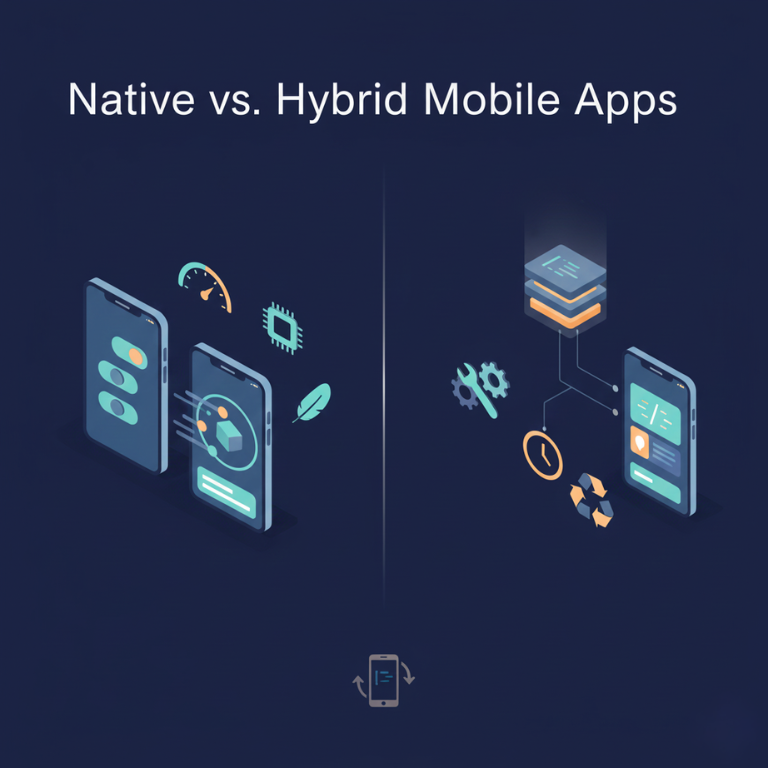
When your business decides to build a mobile app, one of the first technical decisions you’ll face is whether to develop native apps for each platform or build a single hybrid app that works across platforms. This choice affects everything that follows: development costs, timelines, user experience, performance, and long-term maintenance.
Native apps are built specifically for iOS or Android using each platform’s official programming languages and tools. An iOS app written in Swift and an Android app written in Kotlin are both native apps, purpose-built for their respective platforms. Hybrid apps use web technologies or cross-platform frameworks to create a single codebase that runs on both iOS and Android.
The debate between native and hybrid development has evolved significantly over the past decade. Early hybrid solutions produced clearly inferior experiences, making native the default choice for serious applications. Modern hybrid frameworks like React Native and Flutter have narrowed the gap substantially, making hybrid development viable for many use cases that previously required native development.
After building mobile applications using both native and hybrid approaches for businesses across industries, we’ve developed clear understanding of when each approach makes sense, what trade-offs each involves, and how to make decisions that balance business constraints with technical requirements. This guide provides that framework.
Understanding Native App Development
Native development means building separate apps for iOS and Android using each platform’s official tools, languages, and frameworks.
iOS native development uses Swift (or Objective-C for older apps) and Xcode development environment. iOS apps leverage UIKit or SwiftUI frameworks for building user interfaces, access iOS-specific features directly, and follow Apple’s design guidelines. Native iOS apps feel at home on iPhones and iPads because they’re built using the same tools Apple uses for their own apps.
Android native development uses Kotlin (or Java) and Android Studio development environment. Android apps use Jetpack Compose or traditional XML layouts for interfaces, access Android-specific features natively, and follow Material Design guidelines. Native Android apps integrate seamlessly with the Android ecosystem because they’re built with official Android tools.
Complete platform access defines native development. Every feature iOS or Android offers is available to native apps immediately when platforms add new capabilities. Camera controls, biometric authentication, background processing, push notifications, health data, augmented reality native apps access everything without waiting for third-party frameworks to add support.
Optimal performance results from native code compiled specifically for each platform. Native apps execute directly on device processors without interpretation layers, delivering the fastest possible performance. For graphics-intensive apps, complex animations, or computationally demanding features, native development provides performance advantages.
Platform-specific user experiences let native apps feel exactly right on each platform. iOS and Android have different design conventions, interaction patterns, and user expectations. Native development naturally follows platform conventions because you’re working directly with platform tools designed to create platform-appropriate experiences.
Official tooling and support from Apple and Google ensures native developers have access to the best possible development tools, documentation, and support. Xcode and Android Studio are sophisticated, well-maintained development environments with debugging tools, simulators, and testing frameworks specifically designed for their platforms.
Hiring considerations for native development require finding developers with platform-specific expertise. You need iOS developers who know Swift and iOS frameworks, plus Android developers who know Kotlin and Android frameworks. This specialization means hiring two development teams or developers with expertise in both platforms.
Native development represents the gold standard for mobile apps, delivering maximum performance, complete platform access, and optimal user experiences at the cost of developing and maintaining separate codebases for each platform.
Understanding Hybrid App Development
Hybrid development uses cross-platform frameworks to build single codebases that run on both iOS and Android, dramatically reducing development effort compared to building separate native apps.
Cross-platform frameworks enable hybrid development. Major frameworks include React Native (JavaScript using React), Flutter (Dart language from Google), Xamarin (.NET/C# from Microsoft), and Ionic (web technologies in native containers). Each framework has different approaches and trade-offs, but all promise write-once, deploy-everywhere development.
Shared codebase between platforms means most app code writes once and works on both iOS and Android. Developers write business logic, user interface, and features in one codebase rather than duplicating effort. Platform-specific code is still necessary occasionally, but 70-95% code sharing is typical depending on app complexity and requirements.
Faster development results from eliminating duplicate work. Building one codebase rather than two cuts development time substantially often 30-50% faster than native development for both platforms. For businesses wanting mobile presence quickly or testing app concepts with limited budgets, this speed advantage is compelling.
Single development team can handle both platforms, simplifying team management and reducing communication overhead. Rather than coordinating iOS and Android teams to implement features consistently, one team builds features once that work everywhere.
Consistent cross-platform experience happens naturally when you’re building from shared code. Feature parity is automatic both platforms get the same features simultaneously. Updates deploy to both platforms together without risk of drift between versions.
Access to platform features through framework bridges lets hybrid apps access most native functionality. Modern frameworks provide access to cameras, sensors, notifications, and other platform features through framework APIs. While not always as immediate as native access, most business apps’ requirements are fully supported.
Performance acceptable for most apps has improved dramatically with modern frameworks. Early hybrid solutions were noticeably slower than native apps, but current frameworks like Flutter and React Native deliver performance indistinguishable from native for many app types. Only highly performance-sensitive apps like games or apps with complex animations clearly benefit from native development’s performance edge.
JavaScript/Dart skill leverage for React Native and Flutter respectively lets businesses hire from larger talent pools than platform-specific native development. JavaScript developers can transition to React Native, and general programming expertise transfers to Flutter’s Dart language more easily than learning Swift and Kotlin separately.
Hybrid development provides practical solutions for businesses prioritizing speed, cost efficiency, and development simplicity over the absolute best performance and most platform-native experiences.
Performance Comparison: Where It Matters and Where It Doesn’t
Performance differences between native and hybrid apps vary dramatically depending on what the app does and which hybrid framework you choose.
User interface rendering shows the most visible performance differences. Native apps render UI using platform-native components, providing silky-smooth scrolling, animations, and interactions. Modern hybrid frameworks like Flutter render UI themselves rather than using web views, achieving very good performance though still potentially distinguishable from truly native rendering in complex scenarios.
React Native uses native components for rendering, bridging between JavaScript logic and native UI, providing good performance for most interfaces. However, complex interfaces with many simultaneous animations or interactions might show performance differences compared to native.
Computational performance for business logic, data processing, or complex calculations shows minimal differences between native and well-optimized hybrid code. JavaScript in React Native executes fast enough for typical business logic. Dart in Flutter compiles to native code, delivering native-level performance.
Performance-critical computations that would show differences often represent small percentages of overall app execution time. Unless your app is doing heavy image processing, real-time video manipulation, or complex 3D graphics, computational performance rarely distinguishes native from hybrid noticeably.
Startup time sometimes favors native apps slightly, particularly for larger applications. Native apps initialize faster because they don’t need to load JavaScript engines or framework bridges. However, optimization in hybrid apps minimizes startup differences to fractions of a second for well-built apps.
Memory usage tends to be slightly higher for hybrid apps because they load framework overhead in addition to app code. For most modern devices with adequate RAM, these differences don’t impact user experience. However, apps targeting older devices or very memory-constrained environments might benefit from native development’s lower overhead.
Graphics and animation performance strongly favors native for games, augmented reality, or apps with continuous complex animations. Native frameworks provide direct access to GPU, Metal (iOS), and Vulkan (Android) for maximum graphics performance. Hybrid frameworks can access these through plugins, but the abstraction layer introduces overhead.
Battery efficiency typically favors native apps because they’re more precisely optimized for platform power management. However, differences are often negligible for typical business apps that aren’t running constantly in the background or performing intensive operations.
Real-world impact of these performance differences varies by use case. For social media apps, e-commerce, business tools, content apps, or most non-gaming applications, modern hybrid frameworks provide performance that users find perfectly acceptable. For games, AR/VR apps, or applications doing real-time video/audio processing, native development’s performance advantages matter substantially.
Development Cost Analysis
Understanding true costs requires looking at initial development plus ongoing maintenance, updates, and feature additions.
Native development costs for both platforms essentially means building the app twice. iOS development for a medium-complexity app might cost $40,000-80,000. Android development for the same app costs similar amounts. Total native development for both platforms: $80,000-160,000.
These costs reflect separate design, development, testing, and debugging for each platform. Features implement twice, bugs fix twice, and changes make twice.
Hybrid development costs for the same medium-complexity app might run $50,000-100,000 total for both platforms. The single codebase substantially reduces work even though framework complexity and platform-specific considerations add some overhead compared to building for just one platform.
Savings typically reach 30-50% compared to native development for both platforms. Exact savings depend on how much platform-specific code your app requires apps needing extensive platform-specific features save less than apps that are mostly platform-agnostic.
Design costs don’t necessarily decrease with hybrid development. While you’re building one app, designing experiences that work well on both platforms still requires platform-specific design considerations. Some hybrid apps use identical designs across platforms, which saves money but risks feeling foreign on one platform or both.
Testing costs are lower for hybrid apps because you’re testing one codebase. However, you still must test on both iOS and Android devices, and platform-specific bugs still occur. Testing savings exist but aren’t as dramatic as development savings.
Maintenance costs favor hybrid development because updates and bug fixes apply to one codebase rather than two. Adding features or fixing issues happens once, automatically benefiting both platforms. Over time, these maintenance savings compound substantially.
However, hybrid apps sometimes require more maintenance when frameworks update. React Native and Flutter release major updates requiring migration effort. Native apps update for platform changes, but platform-specific development is generally more stable than fast-moving framework ecosystems.
Feature development costs over time favor hybrid approaches for the same reasons: new features develop once rather than twice. Apps requiring continuous feature additions see larger cumulative savings from hybrid development than apps that launch and rarely change.
Team costs differ significantly. Native development requires iOS and Android developers either separate specialists or versatile developers proficient in both, which is rare and expensive. Hybrid development needs fewer developers since they can handle both platforms, reducing ongoing salary/contractor costs.
Our mobile app development services include both native and hybrid options, with specific cost guidance based on your particular requirements.
User Experience Considerations
User experience differences between native and hybrid apps have narrowed substantially but still exist in certain areas.
Platform conventions matter to users even if they don’t consciously recognize them. iOS users expect apps to behave certain ways: swipe gestures, navigation patterns, visual design conventions. Android users have different expectations: back buttons, material design, different interaction patterns.
Native apps naturally follow platform conventions because developers use platform-specific tools designed to create platform-appropriate experiences. Hybrid apps can follow platform conventions with careful design and implementation, but this requires conscious effort and platform-specific customization.
Look and feel of truly native apps is subtly different from even well-designed hybrid apps. Native apps use actual platform UI components: switches, buttons, navigation bars, form elements. These components update automatically when platforms update designs, keeping apps feeling current.
Hybrid apps either render custom UI (Flutter) or bridge to native components (React Native). Flutter’s custom rendering means designing and implementing both iOS and Android design languages intentionally. React Native’s native component bridges provide more authentic platform feel but with occasional quirks.
For many users, these differences are imperceptible or unimportant. For users who spend hours daily in apps, subtle non-native behaviors become noticeable and potentially irritating.
Performance perception affects user experience beyond raw technical performance. Animations that lag by 10 milliseconds technically might not sound significant, but users perceive smoothness differences. Native apps achieving 60fps consistently feel better than apps occasionally dropping to 50fps even if technical measurements seem close.
Feature parity between platforms is easier with hybrid development since you’re building from shared code. Native development requires coordinating separate teams to implement features consistently, creating risk that iOS and Android versions diverge in functionality or user experience.
Accessibility implementation is generally easier in native apps because accessibility features integrate deeply with platform frameworks. Hybrid apps can absolutely be accessible, but ensuring proper screen reader support, voice control, and other accessibility features requires more explicit effort than native apps where accessibility is more automatic.
App store perception rarely distinguishes between native and hybrid apps now that hybrid frameworks have matured. Early hybrid apps often looked obviously “not native,” but modern hybrid apps from skilled developers are indistinguishable to most users and app store reviewers.
Maintenance and Long-term Considerations
Apps require ongoing maintenance, updates for new platform versions, and evolution as your business grows. Long-term maintenance costs and considerations differ between approaches.
Platform updates happen annually for iOS and Android with major releases plus several minor updates yearly. Native apps require testing and potentially updating for compatibility, but platforms maintain strong backward compatibility. Most native apps continue working across multiple platform versions without changes.
Hybrid apps also require testing with platform updates, plus they depend on frameworks keeping pace with platform changes. When Apple releases iOS 18 or Google releases Android 16, React Native and Flutter must update to support new features and platform changes. This dependency creates potential delays accessing newest platform capabilities.
Framework updates add maintenance requirements unique to hybrid development. React Native, Flutter, and other frameworks release major updates periodically. These updates bring improvements but require migration work for existing apps. Native apps don’t have this framework layer requiring separate updates.
However, modern frameworks have matured substantially, with breaking changes less frequent than in early years. Well-maintained frameworks provide migration guides and tools making updates manageable.
Team continuity affects both approaches but differently. Native apps require maintaining iOS and Android expertise long-term. Losing either an iOS or Android developer creates knowledge gaps. Hybrid apps need framework-specific expertise losing your React Native developer also creates gaps, but one person potentially handles both platforms.
Scaling development as your app grows is somewhat easier with hybrid approaches. Adding developers to work on shared codebase scales more smoothly than coordinating larger iOS and Android teams. Communication overhead and feature synchronization complexity grow with team size, favoring hybrid’s single codebase.
Technical debt accumulates in both approaches but manifests differently. Native apps accumulate platform-specific technical debt. Hybrid apps accumulate both framework-specific debt and platform-integration debt. However, shared codebase means fixing technical debt once benefits both platforms.
Legacy support for older devices is sometimes better with native apps because you control exactly what iOS and Android versions you support. Hybrid frameworks occasionally deprecate support for older platform versions, forcing decisions about dropping device support or maintaining older framework versions.
When to Choose Native Development
Specific scenarios clearly favor native development despite higher costs and longer timelines.
Performance-critical applications requiring maximum performance should use native development. Games, augmented reality apps, apps with complex animations, or applications doing intensive real-time processing all benefit from native development’s performance advantages.
If your app’s competitive advantage comes from smooth, high-performance experiences, native development provides the best foundation.
Platform-specific features that are central to your app and new to platforms favor native development. Native access to cutting-edge features happens immediately, while hybrid frameworks might require weeks or months to add support.
If your app’s value proposition depends on newest iOS or Android capabilities unavailable in hybrid frameworks, native development is necessary.
Apps requiring platform-native feel where following platform conventions precisely creates competitive advantage should be native. Apps competing with platform-default apps or other highly polished native apps benefit from native development’s ability to perfectly match platform design languages.
Long-term apps expected to be maintained for many years with stable requirements sometimes favor native development’s independence from framework ecosystems. While frameworks create framework dependencies, native development only depends on platform vendors who have strong incentives maintaining backward compatibility.
Enterprise apps for specific platforms only such as iOS apps for retail employees with company-provided iPhones don’t benefit from hybrid’s cross-platform advantages. Native development provides better experiences without cross-platform compromises.
Existing native codebase means continuing native development is often more practical than rewriting in hybrid frameworks. If you already have native apps, evaluate whether hybrid migration justifies its costs or if evolving native apps makes more sense.
Specialized security requirements sometimes favor native development where you control every aspect of implementation. While hybrid apps can absolutely be secure, some high-security applications prefer native’s lack of framework dependencies.
When to Choose Hybrid Development
Many scenarios favor hybrid development’s efficiency and cost advantages without compromising user experience unacceptably.
Budget constraints make hybrid development attractive. If building native apps for both platforms exceeds budget, hybrid development provides mobile presence on both platforms at costs more similar to developing for one platform.
Time-to-market pressure where launching quickly provides competitive advantage favors hybrid’s faster development. Startups testing concepts, businesses responding to opportunities, or companies playing catch-up benefit from hybrid’s speed.
Feature parity importance where iOS and Android versions must remain synchronized favors hybrid’s shared codebase. If different experiences on each platform would create confusion or support burdens, hybrid development ensures consistency.
Small development teams benefit from hybrid’s efficiency. If you can’t hire or afford separate iOS and Android developers, hybrid development lets smaller teams deliver apps for both platforms.
Content and utility apps without demanding performance requirements work excellently as hybrid apps. Most business apps content presentation, forms, data display, standard interactions perform perfectly well with modern hybrid frameworks.
MVP and validation projects where you’re testing concepts before full investment favor hybrid development. Validate your app concept with hybrid development at lower cost, then potentially rebuild native if validation succeeds and performance requirements justify it.
Continuous development where you’ll constantly add features and improvements benefits from hybrid’s single codebase. Each feature and improvement happens once, compounding efficiency over time.
JavaScript or Dart expertise existing in your organization can be leveraged with React Native or Flutter respectively. If your team already knows these technologies, learning curve decreases and you leverage existing skills rather than learning Swift and Kotlin.
Progressive web app integration where you want web and mobile apps sharing code potentially favors React Native or other JavaScript-based hybrid approaches. Code sharing between web and mobile apps provides additional efficiency.
Android app development and iOS development can both be delivered efficiently through hybrid frameworks for appropriate use cases.
Popular Hybrid Frameworks: Comparing Options
Multiple hybrid frameworks exist, each with different strengths, weaknesses, and appropriate use cases.
React Native from Facebook uses JavaScript and React, making it accessible to web developers. It bridges JavaScript code to native components, providing relatively native-looking UIs with good performance for most applications.
React Native’s massive community, extensive third-party libraries, and mature ecosystem make it the most popular hybrid framework. Facebook, Instagram, Tesla, and Walmart all use React Native in production apps.
However, React Native requires native code knowledge for complex platform-specific features, and keeping up with frequent updates creates maintenance work. JavaScript bridge architecture also limits performance for highly demanding applications.
Flutter from Google uses Dart language and renders UI itself rather than bridging to native components. This approach provides excellent performance and design flexibility, with very smooth animations and custom UI capabilities.
Flutter’s growing popularity, Google’s backing, and excellent documentation make it increasingly attractive. Google Ads, Alibaba, and BMW apps use Flutter.
However, Dart is less common than JavaScript, requiring developers to learn new language. Rendering UI itself means manually implementing platform design languages rather than getting native components automatically.
Xamarin from Microsoft uses C# and .NET, appealing to developers familiar with Microsoft technologies. It bridges to native components similar to React Native.
Enterprise organizations with existing .NET expertise often choose Xamarin. Alaska Airlines, UPS, and American Cancer Society use Xamarin apps.
However, Xamarin has smaller community than React Native or Flutter, and Microsoft’s acquisition by Microsoft and subsequent evolution creates some ecosystem uncertainty.
Ionic uses web technologies (HTML, CSS, JavaScript) running in native containers with Cordova or Capacitor. This approach maximizes code sharing with web apps but typically provides the lowest performance among hybrid frameworks.
Ionic works well for very simple apps or situations where web app already exists and native wrappers add mobile distribution. However, performance and user experience limitations make Ionic less suitable for complex apps.
Framework selection depends on your team’s expertise, performance requirements, and ecosystem preferences. React Native’s popularity and community make it default choice for many. Flutter’s performance and design flexibility attract developers wanting smoother animations and custom UIs. Xamarin serves enterprises invested in Microsoft ecosystems.
Decision Framework: Systematic Evaluation
Systematic evaluation helps determine which approach serves your specific situation best.
Define performance requirements explicitly. Does your app need 60fps animations throughout? Complex graphics? Real-time audio/video processing? If yes, lean toward native. Standard interactions and typical performance? Hybrid works fine.
Assess platform feature dependencies. Does your app require cutting-edge platform features immediately upon platform release? Native provides immediate access. Standard features hybrid frameworks support? Hybrid is fine.
Calculate budget realistically. Can you afford developing and maintaining separate iOS and Android apps? Native provides best experiences at premium costs. Need both platforms with limited budget? Hybrid maximizes value.
Evaluate team capabilities. Do you have iOS and Android expertise, or would you be hiring? Native requires specialized skills. Have web development expertise or general programming skills? Hybrid leverages existing knowledge.
Consider timeline pressures. Need to launch quickly? Hybrid saves months. Have longer timelines allowing thorough development? Native development’s longer timeline is acceptable.
Assess long-term vision. Planning continuous feature development? Hybrid’s efficiency compounds over time. Developing once and maintaining minimally? Native’s independence from framework ecosystems has advantages.
Evaluate user experience priorities. Need absolutely perfect platform-native feel? Native development guarantees it. Acceptable user experience with good performance? Modern hybrid delivers.
Research competitors. What approaches do similar apps in your space use? If competitors successfully use hybrid, it probably works for your use case. If all major competitors are native, there might be good reasons.
Prototype if uncertain. Can’t decide? Build simple prototype or MVP with hybrid framework to evaluate if performance and user experience meet requirements. Prototyping at modest cost provides data for informed decisions.
Real-World Examples and Success Stories
Looking at how actual businesses chose between native and hybrid provides practical context.
Instagram started native but incorporated React Native for certain features, demonstrating hybrid can work alongside native code. Large sections of Instagram now run on React Native without users noticing differences.
Airbnb famously adopted React Native then returned to native development, but their reasoning was specific: very complex interactions, extensive native code requirements, and need for cutting-edge platform features. Their experience doesn’t mean hybrid was wrong it means their specific requirements exceeded what hybrid frameworks optimally provide.
Google Ads app uses Flutter, demonstrating Google’s confidence in their framework for complex, performance-sensitive business applications.
Walmart rebuilt their app in React Native, dramatically increasing development speed and reducing codebase size while maintaining user experience quality.
BMW uses Flutter for ConnectedDrive app, showing automotive industry confidence in hybrid framework performance and reliability.
These examples show that both approaches succeed for different organizations with different requirements, constraints, and priorities. Success depends on matching approach to specific context rather than one approach being universally superior.
Moving Forward with Your Decision
Choosing between native and hybrid development requires balancing performance, cost, timeline, and user experience priorities specific to your business and app requirements.
For most business apps content apps, utilities, e-commerce, social features, standard business tools modern hybrid frameworks provide excellent solutions. The cost savings and development efficiency make hybrid development compelling for businesses wanting mobile apps without unlimited budgets.
For apps where performance is paramount, platform-specific features are central, or maximum native feel provides competitive advantage, native development justifies higher investment through measurably better results.
Neither approach is wrong the right choice aligns with your specific situation. Understanding trade-offs lets you make informed decisions serving business objectives rather than following technology trends or developer preferences.
Whether you choose native iOS development, Android development, or hybrid approaches, working with experienced mobile developers who understand both technology and business ensures your app serves users excellently while fitting within your constraints.
Your mobile app represents significant investment and strategic importance. Taking time to understand options, evaluate requirements systematically, and make informed platform decisions provides foundation for mobile success.
Ready to discuss whether native or hybrid development best fits your mobile app? Our team has extensive experience with both approaches and can provide objective guidance based on your specific needs and constraints. Contact us to explore your options.