
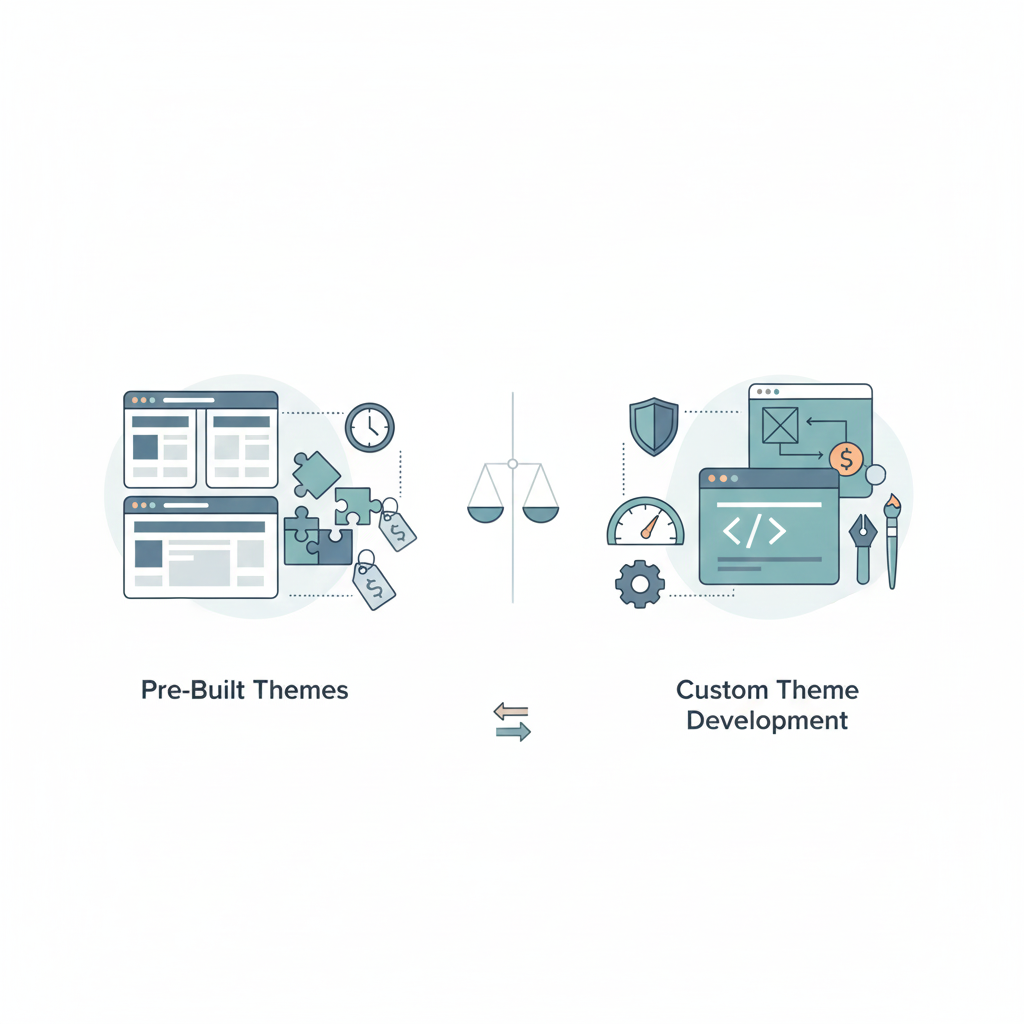
When building a WordPress website, one of the most consequential decisions you’ll make is whether to use a pre-built theme or invest in custom theme development. This choice affects your website’s appearance, functionality, performance, and long-term maintenance requirements. It also significantly impacts your budget, both initially and over time.
Pre-built themes whether free from the WordPress directory or premium themes from marketplaces offer quick, affordable ways to launch professional-looking websites. Thousands of themes provide designs for virtually any industry or purpose, with prices ranging from free to a few hundred dollars.
Custom theme development builds themes specifically for your brand, requirements, and vision. Every element is designed and coded exactly how you want it, without compromises or unused features. However, custom development requires substantially larger investment and longer timelines than using pre-built themes.
Neither approach is universally better. The right choice depends on your specific needs, budget, brand differentiation requirements, technical resources, and long-term goals. Understanding the trade-offs between pre-built and custom themes helps you make informed decisions that serve your business objectives rather than following assumptions or trends.
After building hundreds of WordPress websites using both pre-built themes and custom development over the past decade, we’ve developed clear understanding of when each approach makes sense, what compromises each involves, and how to maximize value from either choice.
Understanding Pre-Built WordPress Themes
Pre-built themes are ready-made designs you purchase or download free and install on WordPress sites. These themes come complete with layouts, styling, and often extensive functionality beyond basic themes.
Free themes from the WordPress theme directory undergo review to ensure they meet basic quality, security, and functionality standards. Popular free themes like Twenty Twenty-Four, Astra, GeneratePress, or Neve provide solid foundations for many websites.
Free themes typically offer basic customization through the WordPress Customizer: colors, fonts, layout options, and widget areas. Some free themes are intentionally limited to encourage upgrading to premium versions offering advanced features.
Premium themes from marketplaces like ThemeForest, Elegant Themes, or theme shops cost $50-$100 typically as one-time purchases. Premium themes generally include more design variations, advanced functionality, dedicated support, and regular updates.
Theme frameworks like Genesis Framework or Thesis provide solid structural foundations with child themes adding specific designs. This two-tier approach separates core functionality (framework) from design (child theme), potentially simplifying updates and maintenance.
Page builders often bundle with themes or sell separately. Tools like Elementor, Divi, or WPBakery let users design pages visually without coding. These builders add flexibility but also add complexity and potential performance overhead.
Demo content accompanying premium themes showcases what sites can look like with theme fully configured. Importing demo content provides starting points, though you’ll replace demo images, text, and structure with your actual content.
Theme updates from developers fix bugs, patch security vulnerabilities, and add features. Quality themes update regularly; abandoned themes pose security risks and compatibility issues with newer WordPress versions.
Pre-built themes provide quick, affordable website launches with professional designs and extensive features. However, they come with limitations and trade-offs that don’t affect custom themes.
Understanding Custom WordPress Theme Development
Custom theme development means building themes specifically for your website from scratch or significantly modifying theme frameworks to create unique implementations.
Completely custom approach starts with blank canvases, writing every line of theme code specifically for your needs. Developers design layouts, code templates, implement functionality, and style everything exactly to specifications.
Framework-based custom development uses established frameworks like Underscores (_s), Sage, or Timber as starting points, building custom themes on solid foundations while avoiding writing everything from scratch.
Custom functionality beyond visual design can be built into themes: custom post types, specialized templates, unique widgets, or business-specific features that don’t exist in general-purpose themes.
Design freedom means not working within pre-built theme constraints. Every aspect of design layouts, typography, spacing, colors, interactions can be exactly what you envision rather than closest approximation available themes offer.
Performance optimization becomes possible when building only what you need. Custom themes exclude unnecessary features, frameworks, and code that bloat pre-built themes even when you’re not using those features.
Brand alignment happens naturally when design is created specifically for your brand rather than adapted from generic themes. Custom development can perfectly match brand guidelines without compromises.
Long-term control over your theme means you’re not dependent on theme developers continuing to maintain themes. You control updates, changes, and evolution of your site’s design and functionality.
Technical expertise requirement is substantial. Custom development needs skilled WordPress developers who understand theme architecture, WordPress coding standards, and best practices.
Development timeline for custom themes typically spans 4-8 weeks or more depending on complexity. This extended timeline delays launches compared to installing pre-built themes.
Higher costs reflect the development time required. Custom themes typically cost $5,000-$25,000+ depending on complexity, compared to $0-$100 for pre-built themes.
Custom development provides maximum flexibility and brand differentiation at significantly higher investment than pre-built themes.
Cost Comparison: True Investment Over Time
Understanding real costs requires looking beyond initial purchase or development to total cost of ownership over several years.
Pre-built theme initial costs are low. Free themes cost nothing. Premium themes cost $50-$100 one-time. Even with additional costs for page builder licenses ($50-$250/year typically) or premium plugins, you can launch professional websites for under $500 in theme and tool costs.
Custom development initial costs range from $5,000 for relatively simple custom themes to $25,000+ for complex, feature-rich themes. The investment reflects weeks of designer and developer time creating themes specifically for your needs.
For many businesses, this cost differential determines the decision. If you don’t have $10,000+ budget for theme development, pre-built themes are the practical choice regardless of other factors.
Pre-built theme ongoing costs include potential subscription fees for page builders, premium plugins providing functionality your theme doesn’t include, and periodic theme updates that might break customizations if you’ve modified theme files directly.
Child themes for customization help preserve custom code through theme updates but require development expertise to create and maintain. Modifying theme files directly means losing customizations every update.
Custom theme ongoing costs are primarily maintenance: keeping themes updated for WordPress compatibility, addressing bugs, and making modifications as your business evolves. These costs are variable you control when to invest in updates versus maintaining existing functionality.
However, custom themes avoid ongoing subscription costs for page builders or premium plugins providing functionality built directly into themes.
Break-even timeline varies by specific circumstances. If custom development costs $15,000 and saves $100 monthly in eliminated plugin subscriptions plus $2,000 annually in customization costs (modifying pre-built themes to match requirements), break-even occurs around 6-7 years.
For websites expected to run with minimal changes for many years, custom themes might cost less long-term. For websites requiring continuous evolution and updates, the calculation becomes more complex.
Hidden costs exist with both approaches. Pre-built themes seem inexpensive initially but accumulate costs through plugins, customizations, performance optimization, and limitations requiring workarounds. Custom development seems expensive initially but those costs are largely upfront rather than recurring.
Performance and Speed Considerations
Website performance affects user experience, conversion rates, and search rankings. Theme choice significantly impacts performance.
Pre-built theme bloat is common because themes include features for general audiences rather than specific needs. A theme supporting multiple layout options, numerous shortcodes, slider functionality, portfolio features, and e-commerce integration loads all that code even if you only use basic layouts and content.
This bloat affects load times, increases server resource consumption, and creates maintenance complexity managing features you don’t use.
Page builder overhead compounds bloat when themes bundle page builders. These visual editors add substantial JavaScript and CSS, often generating inefficient markup that loads slowly compared to hand-coded HTML.
Well-optimized page builder sites can perform adequately, but achieving good performance requires discipline and expertise. Default page builder configurations often prioritize ease of use over performance.
Custom theme optimization happens naturally when building only necessary features. No unused code loads because developers only write code implementing actual requirements. This lean approach results in faster load times and better performance.
Custom development also enables advanced optimization techniques: critical CSS, advanced caching strategies, and performance-focused architecture difficult to achieve with pre-built themes’ generalized code.
Database queries from pre-built themes sometimes inefficiently query databases due to general-purpose code handling various use cases. Custom themes optimize queries for specific data structures and needs.
Real-world performance differences can be dramatic. Pre-built theme sites might load in 3-5 seconds with careful optimization. Custom themes often load in under 2 seconds because they’re not carrying unused features and code.
However, poorly developed custom themes can perform worse than well-optimized pre-built themes. Custom development quality matters enormously bad custom development doesn’t automatically outperform good pre-built themes.
Working with professional WordPress developers ensures custom themes are built with performance as priority rather than just feature accumulation.
Design Flexibility and Brand Alignment
How closely your website matches your vision and brand identity differs substantially between approaches.
Pre-built theme constraints mean working within themes’ design frameworks. You can change colors, fonts, layouts within provided options, and content structure but fundamental design approaches are predetermined.
If themes’ design philosophy aligns with your brand, this works fine. If your brand requires design approaches themes don’t support, customization becomes difficult or impossible without extensive modification approaching custom development costs.
Customization limits exist even with highly customizable themes. You can adjust elements themes expose for customization but can’t easily change elements themes don’t. Adding custom elements requires CSS knowledge, potentially child theme development, or hiring developers.
Brand uniqueness is challenging with popular pre-built themes. When thousands of sites use the same theme, creating truly distinctive brand presence requires substantial customization that pre-built themes weren’t designed for.
Custom theme freedom provides complete design control. Every layout, spacing decision, color usage, typography choice, and interactive element can be exactly what you envision without compromising or working around theme limitations.
This freedom particularly matters for businesses where brand differentiation is critical competitive advantage. If your brand identity is central to your business positioning, custom development ensures your website perfectly embodies that identity.
Design evolution over time is simpler with custom themes because you control the codebase. With pre-built themes, major design changes might require switching themes entirely a disruptive, expensive process.
Designer-developer collaboration produces better results with custom themes because designers aren’t constrained by what themes support. Designers can create ideal experiences knowing developers will implement exactly what’s designed.
With pre-built themes, designers must understand theme capabilities and design within those boundaries, potentially compromising ideal experiences for implementation practicality.
Functionality and Feature Requirements
Beyond design, the features your website needs influence whether pre-built or custom themes better serve your requirements.
Standard functionality like blog posts, pages, basic contact forms, and content display works well with pre-built themes. These common needs are exactly what general-purpose themes are built to handle.
Advanced features sometimes exist in pre-built themes as built-in functionality or through recommended plugins. E-commerce through WooCommerce, membership systems, event calendars, and other specialized needs often work well with pre-built themes and plugin ecosystems.
Unique business logic that doesn’t fit standard patterns benefits from custom development. If your business requires workflows, data structures, or functionality that doesn’t exist in themes or plugins, custom development becomes practical necessity.
Plugin dependencies with pre-built themes can create maintenance burdens. Many pre-built themes require specific plugins for functionality, and keeping themes and plugins compatible through updates creates ongoing work.
Custom themes can integrate plugin functionality directly into themes or be built independently of specific plugins, reducing maintenance complexity.
Feature modifications are easier with custom themes because you control the code. Changing how features work, adding capabilities, or removing unnecessary elements requires accessing and modifying code you understand and control.
With pre-built themes, modifications require understanding others’ code, working within their architecture, and potentially creating child themes or plugins to preserve changes through updates.
Maintenance and Long-Term Ownership
Websites require ongoing maintenance. How easily you can maintain and evolve sites differs between approaches.
Theme updates for pre-built themes fix bugs, patch security vulnerabilities, and add features. However, updates can break customizations or introduce conflicts with plugins.
Creating child themes preserves customizations through parent theme updates, but child themes require technical knowledge to create and maintain properly.
Custom theme updates only happen when you decide to make changes. There’s no external developer pushing updates that might break things. This independence provides stability but means you’re responsible for security and WordPress compatibility.
Technical dependencies on theme developers exist with pre-built themes. If developers abandon themes, you’re stuck with outdated code posing security risks and compatibility issues with newer WordPress versions.
Custom themes developed by your team or agency don’t have this dependency. You own the code and can maintain, update, or modify it regardless of whether original developers remain involved.
Documentation for pre-built themes varies widely. Popular themes generally have extensive documentation explaining features and customization. Smaller themes might have minimal documentation, making customization challenging.
Custom themes should include documentation explaining architecture, modification procedures, and customization points. Good development agencies provide documentation as deliverables, ensuring you can maintain themes long-term.
Developer transitions are easier with custom themes using standard WordPress coding practices. Any competent WordPress developer can understand well-structured custom themes. Pre-built themes using proprietary frameworks or unusual approaches might be harder for new developers to work with.
Scalability as sites grow sometimes favors custom themes because they’re built for your specific use case. Pre-built themes built for general audiences might struggle when sites grow beyond typical use cases.
Security Considerations
Security affects both approaches but manifests differently in each.
Pre-built theme security depends on theme developers maintaining code, patching vulnerabilities, and responding to security issues. Popular themes from reputable developers generally have good security track records because many eyes review code and issues get reported and fixed.
However, abandoned themes or themes from less reputable developers can have vulnerabilities that never get patched, creating security risks.
Custom theme security depends on development quality. Well-written custom themes following WordPress security best practices can be very secure. Poorly written custom themes can have serious vulnerabilities.
The difference is you control custom theme security. You can audit code, patch issues yourself, or hire developers to address security concerns without waiting for theme developers’ updates.
Plugin ecosystem security affects both approaches but sometimes more significantly with pre-built themes that depend on specific plugins. If required plugins have security issues, your site is vulnerable regardless of theme security.
Custom themes can minimize plugin dependencies, potentially reducing attack surface.
Update discipline matters for both approaches. Pre-built themes require staying current with theme updates to maintain security. Custom themes require monitoring WordPress security and updating themes for compatibility and security as WordPress evolves.
Neither approach is inherently more secure security depends on code quality, update practices, and ongoing maintenance regardless of whether themes are pre-built or custom.
When Pre-Built Themes Make Sense
Specific scenarios clearly favor pre-built themes over custom development.
Budget constraints where you can’t afford $5,000+ for custom development make pre-built themes the practical choice. It’s better to launch a good website on pre-built themes than delay indefinitely saving for custom development.
Quick launch timelines where you need websites operational in weeks rather than months favor pre-built themes. Installing and configuring themes takes days versus months for custom development.
Standard business websites presenting company information, services, team, and contact details rarely need custom themes. Pre-built themes handle these straightforward requirements excellently.
First websites when you’re uncertain about long-term needs often work well with pre-built themes. Validate your business model and understand your actual needs before investing in custom development.
Small businesses with limited technical resources benefit from pre-built themes’ community support, extensive documentation, and plugin ecosystems supporting common needs.
Testing concepts or creating MVPs to validate ideas works well with pre-built themes. Test inexpensively, then invest in custom development if validation succeeds.
Content-focused sites like blogs or news sites where content is differentiation rather than design often work well with quality pre-built themes, letting you focus investment on content rather than custom development.
Seasonal or temporary sites with short lifespans don’t justify custom development investment. Pre-built themes provide professional presence for limited purposes.
When Custom Theme Development Makes Sense
Specific situations justify custom development’s higher investment and longer timelines.
Brand differentiation critical to business positioning justifies custom development creating unique brand experiences that set you apart from competitors using the same popular themes.
Unique functionality that doesn’t exist in themes or plugins requires custom development. If your business model depends on capabilities that don’t exist in general-purpose tools, custom development becomes necessary.
Performance requirements for high-traffic sites or performance-critical applications benefit from custom themes’ optimization opportunities. If website speed is competitive advantage or conversion factor, custom optimization justifies investment.
Long-term strategic assets where websites are central to business operations for years justify custom development. The long timeframe amortizes development costs while benefits compound over time.
Enterprise organizations with technical teams and resources often prefer custom development for maximum control, security, and integration with internal systems.
Complex integrations with proprietary systems, specialized platforms, or multiple services sometimes work better through custom development than forcing integrations through pre-built themes not designed for your specific needs.
Design leadership in industries where visual design creates competitive advantage justifies custom development. If your market judges businesses heavily on website quality, custom development provides differentiation.
Websites as products rather than marketing tools membership sites, web applications, SaaS platforms almost always require custom development because their needs don’t fit general-purpose themes.
Hybrid Approaches: Best of Both Worlds
The choice between pre-built and custom themes isn’t always binary. Hybrid approaches combine advantages of both.
Theme frameworks with custom child themes use established frameworks like Genesis or Underscores as foundations while building custom child themes providing unique designs. This approach provides structural stability with design flexibility.
Starter themes like Underscores (_s) provide minimal theme scaffolding that developers build upon. This approach is nearly custom development but avoids writing absolutely everything from scratch.
Customized pre-built themes involve purchasing premium themes then heavily customizing them through child themes or direct modification. This approach costs more than using themes out-of-box but less than complete custom development.
However, extensive customization might approach custom development costs while still carrying pre-built theme limitations and dependencies.
Headless WordPress uses WordPress for content management while serving front-end through custom-built React, Vue, or other JavaScript frameworks. This approach provides WordPress’s content management advantages with complete front-end control.
Phased approach starts with pre-built themes to launch quickly and affordably, then rebuilds with custom themes later when budgets allow and requirements are better understood. This strategy manages risk while maintaining progress.
Hybrid approaches provide middle ground between pre-built and fully custom, though they sometimes inherit disadvantages of both approaches alongside benefits.
Making Your Decision: Evaluation Framework
Systematic evaluation helps determine which approach serves your specific situation best.
Define your budget realistically including both initial development and ongoing maintenance. If custom development exceeds available budget, pre-built themes are the practical choice regardless of other factors.
Evaluate timeline urgency and whether quick launch provides competitive advantage or whether longer development timeline for custom themes is acceptable.
Assess your technical resources. Do you have developers in-house who can maintain custom themes, or will you depend entirely on external developers? Can your team manage pre-built themes independently?
Consider brand differentiation needs. How important is unique visual identity to your business? Can you achieve adequate differentiation with well-customized pre-built themes?
Evaluate functional requirements and whether they fit standard patterns pre-built themes handle well or require custom functionality justifying custom development.
Project long-term website evolution. Do you expect continuous changes requiring ongoing development, or will your site remain relatively stable once launched?
Analyze competitive landscape. What do successful competitors use? If they thrive on pre-built themes, you probably can too. If they all have custom designs, standing out might require similar investment.
Calculate total cost of ownership over realistic timeframes (3-5 years) including ongoing costs, not just initial investment. Sometimes higher initial custom development costs less over time.
Consider technical debt. Extensively customizing pre-built themes creates technical debt that makes future changes harder. Starting with custom development sometimes provides cleaner foundation for evolution.
Common Mistakes to Avoid
Understanding common mistakes helps you avoid pitfalls that waste money or create problems.
Underfunding custom development by expecting custom results on pre-built theme budgets creates disappointment. Custom development requires substantial investment accept that or choose pre-built themes.
Over-customizing pre-built themes until customization costs approach custom development amounts while still having pre-built theme limitations makes little sense. At that point, custom development provides better value.
Choosing themes based on demo sites without understanding customization requirements leads to disappointment when your content doesn’t match demo content and customization is harder than expected.
Ignoring performance implications of page builders and bloated themes creates slow sites that hurt conversion rates and search rankings.
Assuming pre-built themes are “free” ignores costs for customization, plugins, page builders, and ongoing maintenance that accumulate over time.
Not planning for updates with pre-built themes leads to security vulnerabilities and compatibility issues when themes or WordPress update.
Choosing cheapest option without considering quality creates false economies. Poor themes or bad custom development cost more to fix than investing appropriately initially.
Mixing too many approaches by using pre-built themes with extensive custom modifications plus page builders plus numerous plugins creates complex, unmaintainable systems.
Real-World Examples and Use Cases
Concrete examples illustrate how businesses successfully use both approaches.
Small business service websites law firms, consultancies, medical practices typically thrive with quality pre-built themes. Their needs are straightforward: service descriptions, team bios, contact forms. Pre-built themes handle these excellently.
E-commerce retailers can succeed with either approach depending on scale and differentiation needs. Small to medium stores often use pre-built themes with WooCommerce effectively. Large retailers competing on brand experience often invest in custom themes providing unique shopping experiences.
SaaS companies almost universally choose custom development because their needs don’t fit general-purpose themes. Dashboard interfaces, custom functionality, and unique user experiences require custom implementation.
Media and publishing sites often use pre-built themes or frameworks like GeneratePress because content is differentiation, not design. Investing in content rather than custom themes makes strategic sense.
High-end agencies and design-focused businesses often require custom themes because their websites showcase design capabilities. Generic themes don’t credibly demonstrate design excellence.
Membership sites with complex community features, course delivery, or subscription management often require custom development because their needs exceed what pre-built themes and plugins efficiently handle.
These examples show business needs, not business size, determine appropriate approaches.
Moving Forward with Confidence
Choosing between pre-built and custom WordPress themes requires honest assessment of needs, constraints, and priorities rather than following trends or assumptions.
For most small to medium business websites with standard requirements and limited budgets, quality pre-built themes provide excellent solutions. Modern premium themes are sophisticated, well-supported, and capable of creating professional websites at reasonable costs.
For businesses requiring unique functionality, where brand differentiation is critical competitive advantage, or where websites are long-term strategic assets, custom theme development’s higher investment delivers returns through exactly-fitted solutions and long-term control.
Neither approach is universally better. The right choice aligns with your specific situation: budget, timeline, technical resources, brand positioning, and long-term vision.
Whether you choose pre-built themes for efficiency or custom WordPress development for uniqueness, the most important factor is making informed decisions based on realistic assessment of needs and resources rather than assumptions about what you “should” do.
Your website is too important to your business to choose approaches based on incomplete information. Understanding trade-offs between pre-built and custom themes helps you invest appropriately for results that serve your business objectives.
Ready to discuss whether pre-built or custom theme development best serves your WordPress website? Our team has extensive experience with both approaches and can provide objective guidance based on your specific needs and constraints. Contact us to explore your options.


